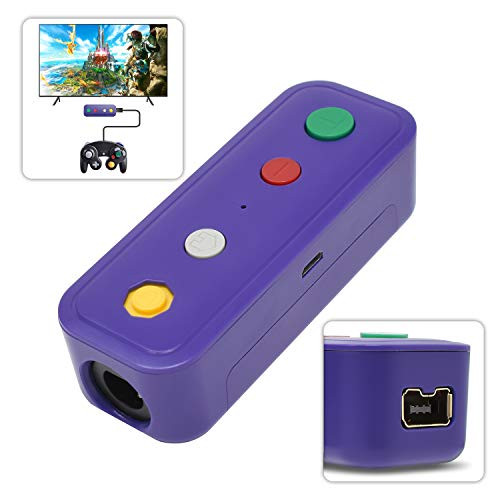
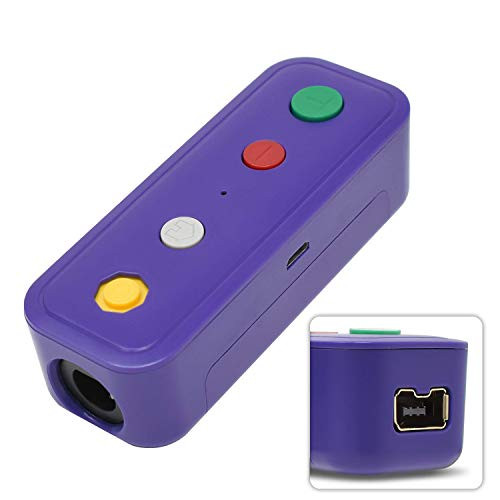
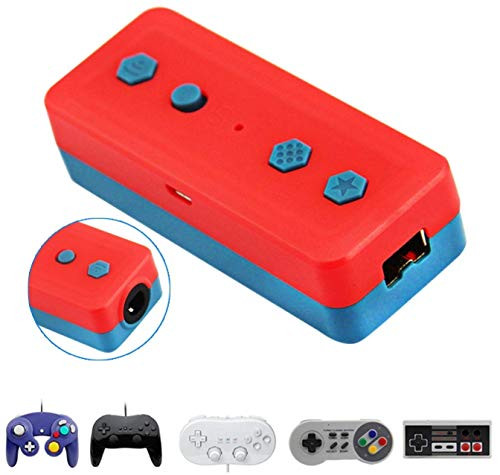
1.It can connect GameCube/Wii Classic/NES /SNES Classic.Compatible With Switch Console/Windows 7 or higher version
2.Compatible with Switch and Windows
Switch Mode Support "Screenshots ""Home""-" and "Turbo"functions.
PC Mode Support "X-Put" and "Turbo" functions (It doesn't support Bluetooth on PC mode)
It will turn to be a PC USB controller when connect the bluetooth adapter with a wired USB cable.
3.Working Distance:6-8M
Connect Way
? Bluetooth
-Put in the battery into the adapter then turn the menu of Switch Console to gamepad connection.
-Press "C" button on the bluetooth adapter and do not let go then press "Home" button, 3-5 seconds later LED light of bluetooth adapter flash it connects successfully when the light is always on.
-Then connect the Gamecube or Wii controller to start games.
? Wired
- When battery is power off you can also connect the adapter to Switch Console with USB cable.
- Connect the Bluetooth Adapter to the Switch Console with a USB cable then LED lights on the adapter will flash.
- Plug in Gamecube or Wii controller, press "A" button on adapter LED lights keep on succeed.
Mark: Wired Connection has priority over bluetooth on Switch System.
? Wired
- Connect the Bluetooth Adapter to Windows 10 with a USB cable.
- Find "Gamepad" icon in "Equipment and Printers", right click, the name of icon is Controller.
- Click "Game Controller Settings" to the test menu plug in the game controller to test.
6.Press "Home" for 3-5 seconds, the LED indicator is off.
NOTE?
NGC & WII ports could not use simultaneously, when connected both of the 2 ports with controllers only the WII port controller could work.
Package Included:
1 x Wireless Adapter for Nintendo Switch
1 x Cable band
1 x USB Cable
1 x Manual
2.Compatible with Switch and Windows
Switch Mode Support "Screenshots ""Home""-" and "Turbo"functions.
PC Mode Support "X-Put" and "Turbo" functions (It doesn't support Bluetooth on PC mode)
It will turn to be a PC USB controller when connect the bluetooth adapter with a wired USB cable.
3.Working Distance:6-8M
Connect Way
? Bluetooth
-Put in the battery into the adapter then turn the menu of Switch Console to gamepad connection.
-Press "C" button on the bluetooth adapter and do not let go then press "Home" button, 3-5 seconds later LED light of bluetooth adapter flash it connects successfully when the light is always on.
-Then connect the Gamecube or Wii controller to start games.
? Wired
- When battery is power off you can also connect the adapter to Switch Console with USB cable.
- Connect the Bluetooth Adapter to the Switch Console with a USB cable then LED lights on the adapter will flash.
- Plug in Gamecube or Wii controller, press "A" button on adapter LED lights keep on succeed.
Mark: Wired Connection has priority over bluetooth on Switch System.
? Wired
- Connect the Bluetooth Adapter to Windows 10 with a USB cable.
- Find "Gamepad" icon in "Equipment and Printers", right click, the name of icon is Controller.
- Click "Game Controller Settings" to the test menu plug in the game controller to test.
6.Press "Home" for 3-5 seconds, the LED indicator is off.
NOTE?
NGC & WII ports could not use simultaneously, when connected both of the 2 ports with controllers only the WII port controller could work.
Package Included:
1 x Wireless Adapter for Nintendo Switch
1 x Cable band
1 x USB Cable
1 x Manual