Show Name?
Nintendo Switch - Pro Controller
PC X-INPUT - Xbox 360 Controller for Windows
TURBO Function (Only used on PC)
It is only used on PC (the joystick and direction keys don't support bursting and also don't support the TURBO function setting.)
HOME Button/Screen Function (Only for Switch Console use)
HOME Button Function: Press the HOME button to return to the main page.
Screen Capture Function: Press ? button to complete the screen capture and long press to record the video.
NOTE: Only for Nintendo Switch Console use
How to use:
Wiressless Switch Bluetooth Connection Mode:
Turn the Switch to the S position, press HOME button for 1 second, start light will flash slowly. And then press the SYNC button for 2 seconds and the LED flashes into the paring status. Go to consoles controller settings - Change Grip/ Order Page, and wait for connection. After the connection is complete, the indicator LED is always on.
Wireless PC Windows Bluetooth MODE:
Turn the Switch to X position. Press HOME button for 1 second, start light will flash slowly. And then press SYNC button for 2 seconds and LED flashes into paring status. Go to bluettoth setting page and wait for the connection. After the connection is complete, the indicator LED is always on. The default detection is x-input.
Wired Connection:
Use a USB micro data cable to connect the adapter to PC, and the LED is always on after connection complete. The defalt detection is x-input.
Note:
Requires 2 AA batteries. Package does't include batteries.
Package Included:
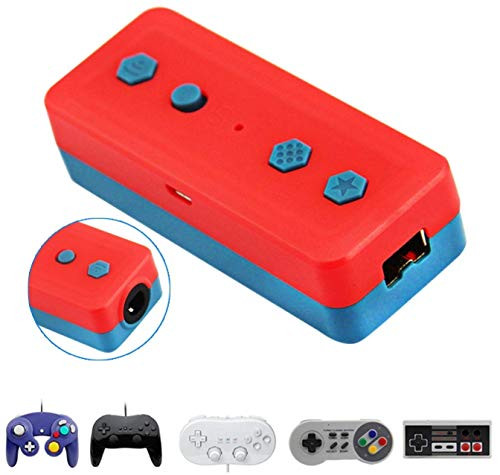
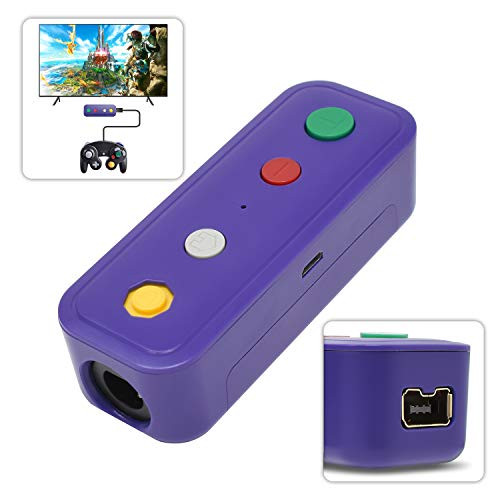
1x GameCube/NES/SNES/Wii Classic to Switch Wiress Adapter
1x Micro USB (power) cable
1x User Manual

Kahool Wireless Bluetooth Adapter for Nintendo Switch & PC Windows, Works with Gamecube NGC Controller, NES/SNES/Wii Classic Controller & Other Same Wii Port Controllers
Was:
$59.88
Now:
$29.94
(No reviews yet)
Write a Review

Write a Review
Kahool Wireless Bluetooth Adapter for Nintendo Switch & PC Windows, Works with Gamecube NGC Controller, NES/SNES/Wii Classic Controller & Other Same Wii Port Controllers
- SKU:
- GZ30824
- UPC:
- 614134501595
- Condition:
- New
- Availability:
- Free Shipping from the USA. Estimated 2-4 days delivery.