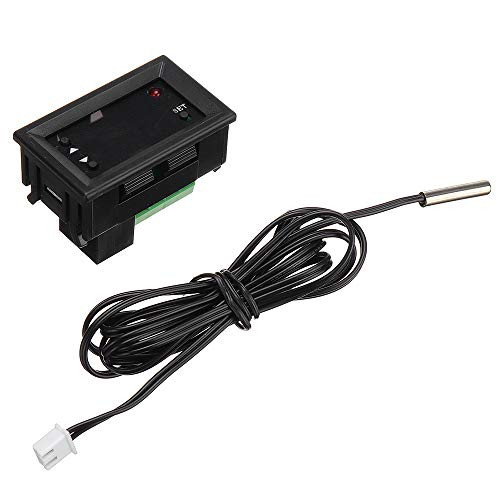
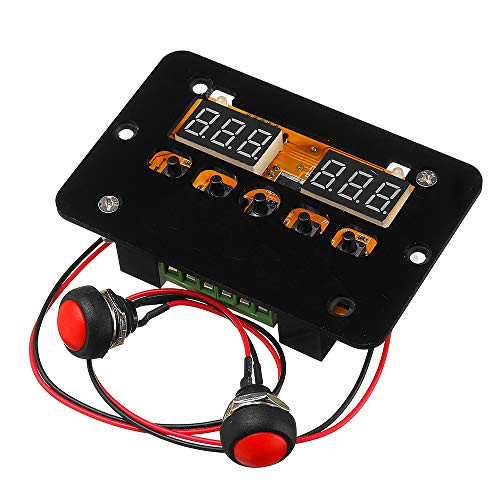
Specifications:
Supply voltage: 12V/24V/220V
Load power: 120/240/1500W
Temperature control range: 0-450 °C
Temperature range: 0-450 °C
Temperature control accuracy: 0.1 °C
Measurement input: k-type thermocouple
Output type: direct output
Output capacity: up to 10A
Mounting aperture: 73mm
Aperture: 4mm
Size: 60*45*31mm
Introduction:
Setting parameter table:
Code
Description
Setting range
Factory settings
P0
Starting temperature
0-450?
00
P1
Stop temperature
0-450?
00
P2
Temperature correction
-10-10?
0
P3
Delayed start
0-10 min
0
- P0 sets the starting temperature
Press the setup button to enter the internal menu. The default display is T0. Press the setup button again to set the desired startup temperature via the up and down buttons.
- P1 sets the stop temperature
b Set the button to enter the internal menu, the digital display is P0, switch to P1 through the up and down buttons, press the setting button again, and set the required stop temperature through the up and down buttons.
- P2 set temperature correction
In the same way, enter the internal menu, switch to P2 by pressing the up and down buttons, press the setting button again, and set the required calibration temperature by the up and down buttons. In the setting, if the detected temperature value is 0.5 °C larger than the actual temperature value, then the calibration temperature to be set is -0.5 °C. If the inspection temperature value is 1 °C smaller than the actual temperature value, the calibration temperature to be set is 1 °C. Temperature + - Correction temperature = actual temperature.
- P3 sets delayed start
In the same way, enter the internal menu, switch to P3 by the up and down keys, press the setting button again, and set the required delay time by the up and down buttons (the unit is minute > delay start is generall

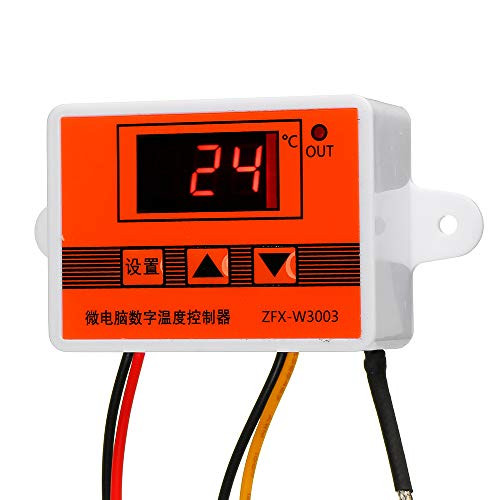
Davitu Module Board Test and Measuring Module - W3003 12V/24V/220V Microcomputer Digital Display Intelligent Temperature Controller Electronic For Burner Fuel Machine Controller - -Voltage: 24V-
Was:
$68.08
Now:
$34.04
(No reviews yet)
Write a Review
Write a Review
Davitu Module Board Test and Measuring Module - W3003 12V/24V/220V Microcomputer Digital Display Intelligent Temperature Controller Electronic For Burner Fuel Machine Controller - -Voltage: 24V-
- SKU:
- ZB336124
- Condition:
- New
- Availability:
- Free Shipping from the USA. Estimated 2-4 days delivery.