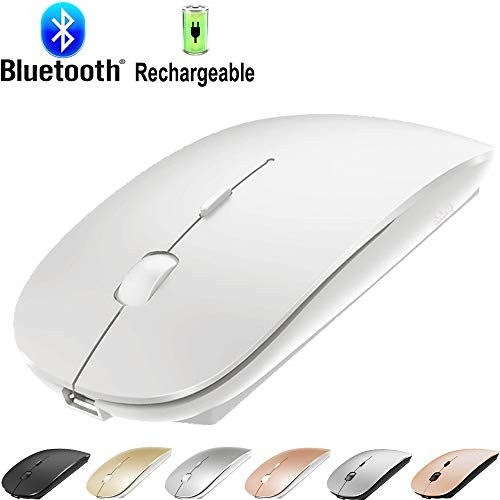
?Best compatible bluetooth 5.1 Mouse chip :Compatible with more than 99.8% Bluetooth devices. Connect to PC, Mac MacBook pro / MacBook air / iOS13 iPad or iPhone, notebook, Mac iOS; Support Win7-10 Linux or/ Android/ tablet / HP/...
?Packaging list: instruction x1, rechargeable led Bluetooth mouse x1, USB cable x1, packaging carton x1.
?How to Charge Wireless Mouse?
? When the pointer of your mouse does not move or cannot be used, or suddenly disconnects continuously in use, you need to charge it for about 3 hours. Please use the USB port of your computer to charge it, or use an adapter with an output of no more than 5v to charge it
? ?? How do I connect this bluetooth mouse on my laptop?
First turn on mouse switch > mouse red light > then turn on laptop Settings > turn on laptop Bluetooth > search Bluetooth device > your PC Bluetooth will search for "BT 5.1 mouse" > and then click Connect
? ?? How to use the ("IOS13 / iPad Pro /iPad Air/ Mini " ) ?
open the switch at the bottom of the mouse>
(1) open ipad Settings >Accessibility > Touch > AssistiveTouch > Click to open ?An auxiliary dot will appear on the screen?
(2) Go back to Settings > Click on the bluetooth > Click to open > BT5.1 mouse> connect and Pair
? 7 color Led mouse: After the mouse is successfully connected to your computer/Laptop/ ipad device, the 7 color Led starts to light up one by one. If the mouse is not connected to the computer, the 7-color LED cannot be automatically replaced.

Bluetooth Mouse for MacBook pro Bluetooth Mouse for MacBook Air Laptop Bluetooth Wireless Mouse for MacBook Pro MacBook Air Mac iPad Pro Air Windows PC Rechargeable Jelly Blue
Was:
$73.96
Now:
$36.98
(No reviews yet)
Write a Review

Write a Review
Bluetooth Mouse for MacBook pro Bluetooth Mouse for MacBook Air Laptop Bluetooth Wireless Mouse for MacBook Pro MacBook Air Mac iPad Pro Air Windows PC Rechargeable Jelly Blue
- SKU:
- ZT201529
- Condition:
- New
- Availability:
- Free Shipping from the USA. Estimated 2-4 days delivery.