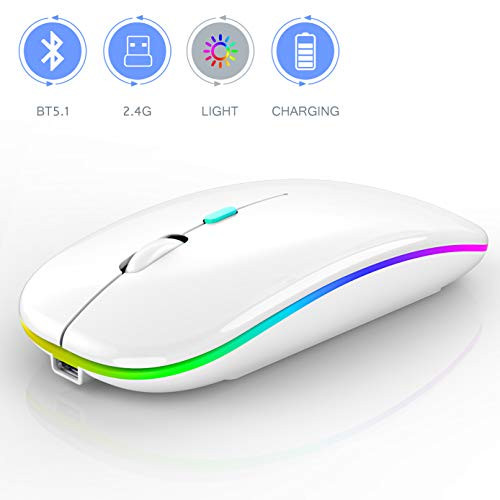
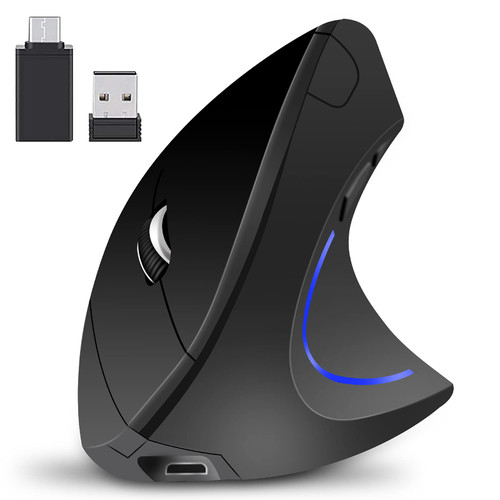
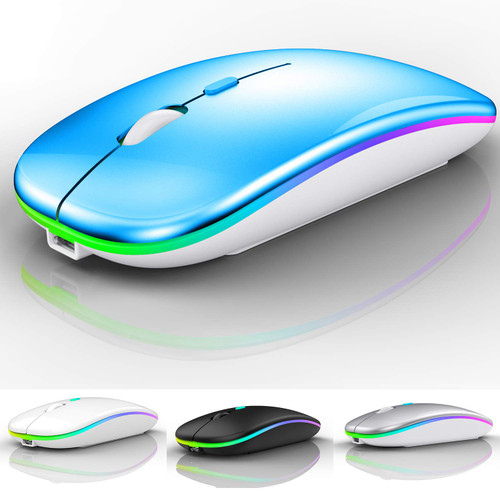
?Best compatible bluetooth 4.0 chip :Compatible with more than 99.8% Bluetooth devices. Connect to PC, Mac MacBook pro / MacBook air / iOS13 iPad or iPhone, notebook, Mac iOS; Support Win7-10 Linux or Android tablet.
?Packaging list: instruction x1, rechargeable Bluetooth mouse x1, USB cable x1, packaging carton x1.
?How to use bluetooth mouse:
?first, open the mouse switch, open the computer system preference settings, open the Bluetooth function, when the computer Bluetooth display is searching for the nearby Bluetooth device, you will need the black button at the bottom of the mouse ?, while holding down for 3-6 seconds, then your computer Bluetooth display search device will appear Bluetooth mouse, then click to connect it, and then Successful connection
The mouse works on iOS13 ipad or iphone?Note: Before using the mouse, make sure that the iPad or iPhone has been upgraded to the latest software version of iOS 13. ?If your iPad or iPhone is not updated to the latest system software version IOS 13, you cannot use the Bluetooth mouse function. How to update the software version? (open the iPad settings and click general to find the software update function) click download to install the latest version of IOS 13)
Ipad connection steps First?
open iPad Settings > Accessibility > Touch > AssistiveTouch > open (Green button) > Drop down this page to find the > Drop down this page to find the device> Bluetooth Devices... > Turn on the mouse switch, press and hold the connection button at the bottom of the mouse for 3-5 seconds, And you can search Bluetooth mouse4.0 in this Bluetooth device > Find Bluetooth mouse4.0 Click Connect and pair If the display requires a password, Please enter 0000. (if the display does not require a password, please ignore)
(if the bluetooth mouse device cannot be found, restart the mouse or iPad bluetooth function, or restart and refresh to find the bluetooth mouse d

Bluetooth Mouse for ipad Bluetooth Mouse for MacBook Air-Mac-MacBook Pro-ipad-ipad Pro-iMac-Laptop Rechargeable Wireless Mouse for MacBook Air-MacBook
Was:
$121.78
Now:
$60.89
(No reviews yet)
Write a Review

Write a Review
Bluetooth Mouse for ipad Bluetooth Mouse for MacBook Air-Mac-MacBook Pro-ipad-ipad Pro-iMac-Laptop Rechargeable Wireless Mouse for MacBook Air-MacBook
- SKU:
- TE21592
- UPC:
- 783919196896
- Condition:
- New
- Availability:
- Free Shipping from the USA. Estimated 2-4 days delivery.