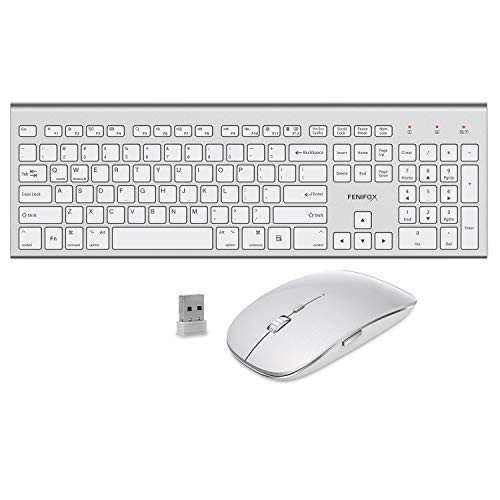
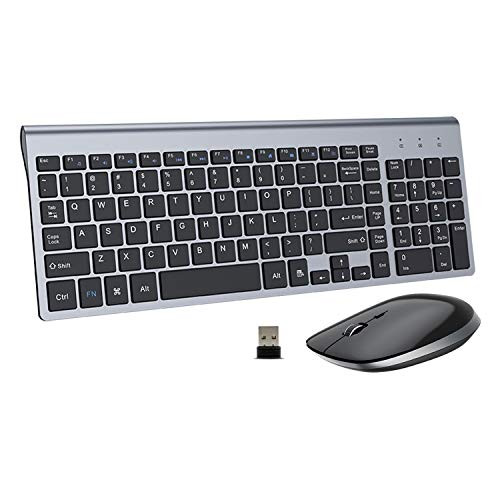
Features:
1.Designed for laptop, PC and some tablets.
2.Built-in 2.4G nano receiver(inside mouse battery slot) compartment for storage, easy to carry around.
Get Started
Step 1: Take out the 2.4G Nano receiver and insert 2 x AA batteries for each mouse and keyboard.
Step 2: Plug the nano receiver into the USB port of your laptop/ PC/tablet.
Step 3: Switch on both keyboard and mouse and then they will connect to your device automatically.
NOTE: The keyboard will enter sleep mode to preserve power after 10 mins of inactivity, press any key and wait for 3 seconds to activate the keyboard again.
Solution for keyboard/mouse no response
1.Power off all other 2.4G devices in your room, make sure both the keyboard and mouse are "off" .
2.Plug in the receiver, power on the keyboard and press down the ESC+Q together for 3 seconds, then the keyboard will repair.
3.To repair the mouse, please plug out the receiver and replug. After that, press the left & right clicks at the same time and then power on the mouse. Do not release the clicks for 4 seconds and the mouse will work.
NOTE: If the above actions failed, please power off the both, remove the receiver and restart from step 2.

Wireless Keyboard and Mouse, FENIFOX USB Ergonomic Compact Whisper Quiet QWERTY for Mac Imac Windows PC Computer Laptop Tv (Silver and White)
Was:
$117.32
Now:
$58.66
(No reviews yet)
Write a Review

Write a Review
Wireless Keyboard and Mouse, FENIFOX USB Ergonomic Compact Whisper Quiet QWERTY for Mac Imac Windows PC Computer Laptop Tv (Silver and White)
- SKU:
- II337793
- UPC:
- 796168207466
- Condition:
- New
- Availability:
- Free Shipping from the USA. Estimated 2-4 days delivery.