How to use:
For iPhone:
1.Plug the external antenna to dongle and plug HDMI cable to TV(output device)
2. Connect USB cable to a 5V/1A power adapter, you can see the "Mirascreen" interface on TV
3.Use Mirascreen's account and password to connect your iPhone/iPad
4.Download EZMira App and scan QR code to connect with your home router.
5.Slide iPhone/iPad screen to Screen Mirroring and mirror content to TV screen (For IOS system)
Note: Only setting for the first time, you can plug and play in next time.
For Android:
1.Plug the external antenna to dongle and plug HDMI cable to TV(output device)
2. Connect USB cable to a 5V/1A power adapter, you can see the "Mirascreen" interface on TV
3.Use Mirascreen's account and password to connect your Phone
4.Find the Mirror function on mobile phone/ Pad
5.Slide Phone screen to Screen Mirroring and mirror content to TV screen
Note: The name of Mirror function on different Android devices isn't same
Package include:
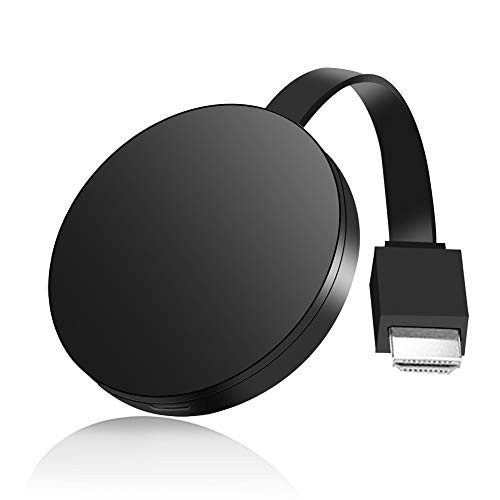
Wireless HDMI Dongle * 1
WiFi Antenna * 1
User Manual(6 Languages) * 1
Description:
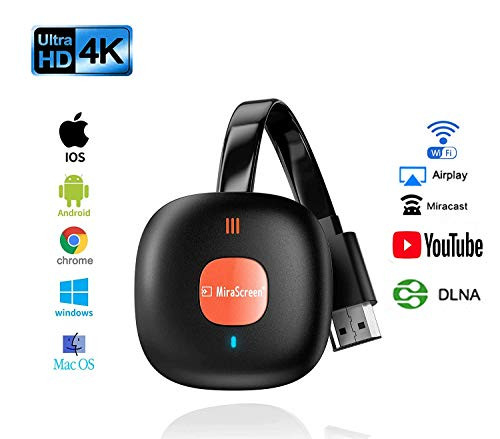
1.JAOK HDMI dongle suppots 4K HDR resolution, it provides cinema-level stunning effect.
2. Safe and simple wireless connection is suitable for most places,no extra messy cords needed.
3. You can enjoy a high-definition large screen at home
4. Easy to use & set up, Plug & Play
5.Please plug USB cable to a power adapter and turn on the power. This dongle can't work if No power.
Compatible Device:
Support:iOS8.0 /Windows8.1/ Android4.2 and up

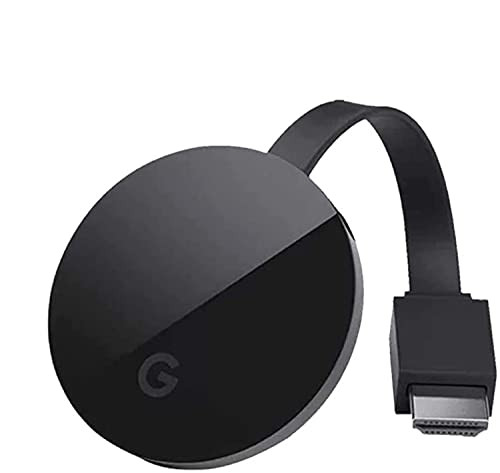
Wireless HDMI Streaming Stick Display Mini Dongle Adapter, 4K Ultra HD WiFi Streaming Video Receiver for Chrome/ Android/ iOS/ PC/ TV/ Monitor/Projector Devices, Supports Miracast Airplay DLNA
Was:
$79.88
Now:
$39.94
(No reviews yet)
Write a Review
Write a Review
Wireless HDMI Streaming Stick Display Mini Dongle Adapter, 4K Ultra HD WiFi Streaming Video Receiver for Chrome/ Android/ iOS/ PC/ TV/ Monitor/Projector Devices, Supports Miracast Airplay DLNA
- SKU:
- ZB962665
- UPC:
- 725662215592
- Condition:
- New
- Availability:
- Free Shipping from the USA. Estimated 2-4 days delivery.