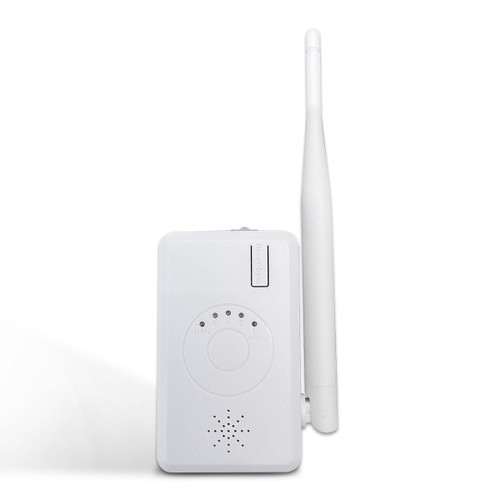
Operation Guide:
1. Wired Matching Code:
Use network cable to connect router and cameras. Press the button of reset key on router for 3 seconds to match code accoring to voice warning.
When voice indicates the success of matching code, it means the camera has been matched code successfully. (To restore factory settings by pressing the button10 seconds).
2. Router Indicator Light
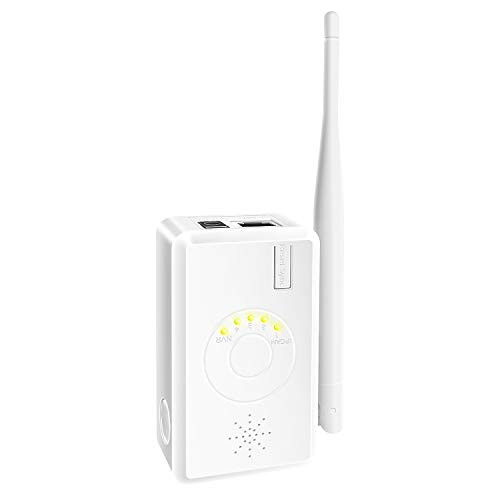
This router has 5pcs leds indicators in total, the right one is wired network indicator, light-on means router connects with wired network.
4 led lights on left side indicate the number of wireless cameras connected.
4 lights are on while 4 cameras are connected successfully.
3. Connect NVR
After wireless cameras match code with IPC router successfully, use a network cable to connect IPC router and NVR/DVR.
Search and add wireless cameras have IP self-adaption function. Dont worry about the issue of different network segment.
4. Connect NVR through N1
After matching code successfully, use a network cable to connect the router and NVR.
Right click the mouse ? video management? refresh, search wireless IPC and IP address of router (router IP default to 192.168.1.1.198),
click one key to add or add to add wireless IPC on NVR, if show of different segments, please use onekey to add.
5. Repeater Set up
IPC router can use as a repeater in a wireless NVR system.
A: Connect the IPC router with NVR by cable
B: Searching the IPC router in video management page, double click Router, then click match button to finish match code.

WiFi Range Extender Repeater for Maysly Wireless Security Camera System NVR Kit and IP Camera -Power Supply NOT Included-
Was:
$374.86
Now:
$187.43
(No reviews yet)
Write a Review
Write a Review
WiFi Range Extender Repeater for Maysly Wireless Security Camera System NVR Kit and IP Camera -Power Supply NOT Included-
- SKU:
- ZB837687
- UPC:
- 751565581427
- Condition:
- New
- Availability:
- Free Shipping from the USA. Estimated 2-4 days delivery.


CKK WiFi Range Extender for Wireless Security Camera System, NVR and IP Camera
Was:
$159.96
Now:
$79.98
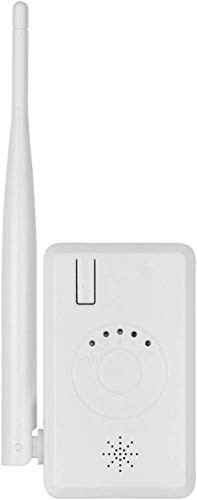
Fyuui WiFi Range Extender for Wireless Security Camera System NVR and IP Camera
Was:
$107.88
Now:
$53.94