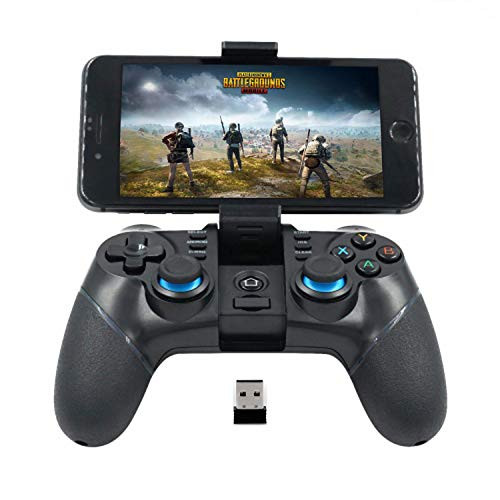
Ios &Android Wireless Connection GuidelineDownload key mapping App(name: ShootingPlus V3) on APP Store/ Google Play Store.
IOS Connection Operation.?1?When the gamepad is off,?2?Press Y+ Home key on gamepad, till LED 2 light flashes quickly?3?Turn on Bluetooth function on your iphone or IPad.?4?Search and select V018, once the connection has done, LED 2 light will be long bright.
Android Connection Operation
?1?When the gamepad is off[2]Press A+ Home key on gamepad, until LED 1 light flashes quickly[3]Turn on Bluetooth function on your Android phone or tablet.[4]Search and select V018, once the connection has done, LED 2 light will be long bright.
NOTE: You need to allow the app to open suspention window(Floating Window) permission on your phone.
IOS APP Setup Guideline.
Step 1: Enter into the gaming interface and take a screen shot picture.
Please note:
-The gaming interface must contain gaming control function keys on it.
- Make sure the screen shot picture is saved into your phone for next step use.
Step 2: Open "ShootingPlus V3" APP and tap "V3" LOGO.(Before this, make sure 'V018'conneted on app. If you done Bluetooth connection, the app will connect automaticallu, if app do not connect, please disconnect Bluetooth and reconnect )
Step 3: Long press the blank area on the screen until" Select Game Screenshots" option comes up and "Choose Picture" from gaming interface screenshot picture.
Step 4: Press "New" then can assign key layout to your preference.
Android APP Setup Guideline
Step 1: Open "ShootingPlus V3" APP. Make sure "V018 Connected"(if you done Bluetooth connection, the app will connect automatically, it app do not connect, please disconnect Bluetooth and reconnect).
Step 2: Do not close V3 APP, enter into the game(such as PUBG)
Step 3: In the gaming interface, press START key on the gamepad, it will appear
Step 4: as the Ios.