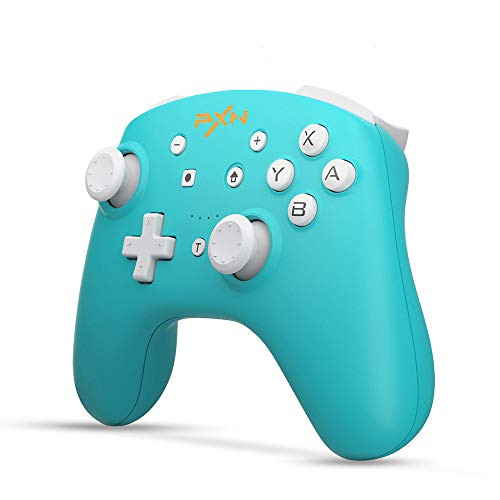
Play your favorite Nintendo Switch games with this wireless controller designed for comfort and performance for your gaming sessions. Enjoy up to 20 hours of gameplay on a single charge. Enjoy wireless freedom with this controller that comes with two precision-tuned analog sticks & standard ABXY layout buttons that are much larger than Joy-Con for a familiar and high-performance gaming experience.
Specification:
- Does not support HD rumble, IR
- Wireless Connection for Nintendo Switch:
- 1) Enter System settings -- Switch controller and Sensors, Select Pro Controller Wired Communication. The option state is ON
- 2) Return to the main and enter Controllers -- Change Grip/Order
- 3)Press the gamepad 'Y' button, meanwhile press 'HOME' to POWER ON. 4 LED indicator lights, flashes signs in the loop
- 4) Wait for 3-8 seconds, when the LED1 indicator light keeps on, the gamepad connects successfully
- Adjusting vibration:
- 1) Please make sure you connect the controller to the switch console
- 2) Press four buttons ('L', 'ZL', 'R', and 'ZR') simultaneously about 5 seconds
- 3) Then release the four buttons when you feel the vibration
- 4) The vibration mode can be adjusted by repeating the above operations
Package Content:
- 1x Wireless Pro Controller for Nintendo Switch & PC - PXN Pro Remote Controller Support NFC, Adjustable Vibration, 6-Axis Motion Controls Gamepad Remote Compatible with Nintendo Switch, PC Windows