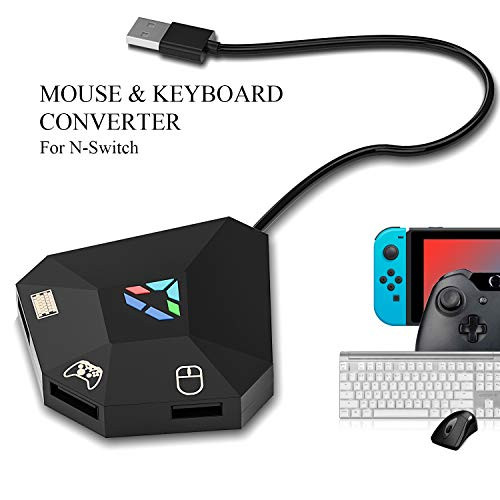
New features:
1.Fixed the defects of the previous generation
2.Added DPI shift function (Use pageUp and PageDown button on your keyboard to change DPI)
3.Added Bursting Function,Combo Function and Auto Hang up Function
How to use:1. PS4
a. Disconnect your PS4 Joystick (this is very important or the connection will fail.)
b. Connect Adapter to PS4
c. Connect the HID peripherals such as the keyboard, mouse, rocker to Adapter
d. Press Enter on keyboard
2.Nintendo Switch
a. Turn on the Pro Controller Wired Communication on your Nintendo Switch
b. Connect Adapter to Nintendo Switch(When TV mode is on connect Adapter to the dock. When handheld mode is on connect Adapter to Switch through OTG cable.)
c. Connect the HID peripherals such as the keyboard, mouse, rocker to Adapter
d. When the host computer successfully identified with the gamepad shows the effective connection.
3. Xbox One
a. Disconnect your Xbox One Joystick(this is very important or the connection will fail.)
b. Connect Adapter to Xbox One
c. Connect your Xbox One Joystick to Adapter
d. Connect the HID peripherals such as the keyboard, mouse, rocker to Adapter
e. When the host computer successfully identified with the gamepad shows the effective connection.
NOTE:If you have any questions, please contact us by email, we will reply you within 24 hours.You'll get:
1 X Adapter
1 X USB Cable
![Tico Nico Keyboard and Mouse Adapter for Nintendo Switch/PS4/Xbox One/PS3/Xbox 360[updated version]](https://cdn11.bigcommerce.com/s-t8bvbs505h/images/stencil/1280x1280/products/5655061/5990081/41XKX4_nO7L__48516.1598195428.jpg?c=2 "Tico Nico Keyboard and Mouse Adapter for Nintendo Switch/PS4/Xbox One/PS3/Xbox 360[updated version]")
Tico Nico Keyboard and Mouse Adapter for Nintendo Switch/PS4/Xbox One/PS3/Xbox 360[updated version]
Was:
$47.88
Now:
$23.94
(No reviews yet)
Write a Review
![Tico Nico Keyboard and Mouse Adapter for Nintendo Switch/PS4/Xbox One/PS3/Xbox 360[updated version]](https://cdn11.bigcommerce.com/s-t8bvbs505h/images/stencil/500x659/products/5655061/5990081/41XKX4_nO7L__48516.1598195428.jpg?c=2 "Tico Nico Keyboard and Mouse Adapter for Nintendo Switch/PS4/Xbox One/PS3/Xbox 360[updated version]")
Write a Review
Tico Nico Keyboard and Mouse Adapter for Nintendo Switch/PS4/Xbox One/PS3/Xbox 360[updated version]
- SKU:
- N110559
- UPC:
- 682141836856
- Condition:
- New
- Availability:
- Free Shipping from the USA. Estimated 2-4 days delivery.