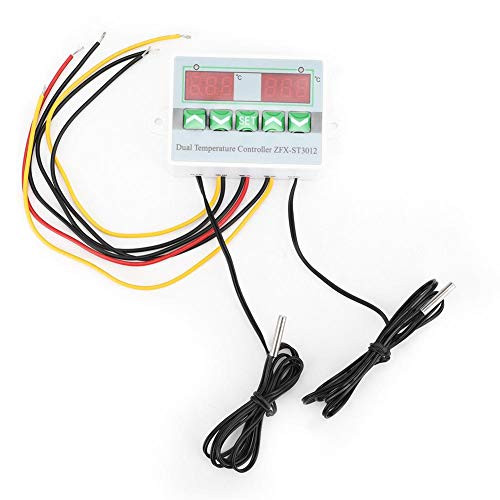
Specification:
Item Type:Thermostat
Temperature Control Accuracy: 1 °C
Temperature Control Range: -50~110 °C
Temperature Measurement Accuracy: ±0.5°C
Data Saving: Yes
Working Temperature: 0-50 °C
Output Capacity: Up to 10A
Mounting Hole Distance: M3 (Screw)
Size:76 x 55 x 31mm / 2.99 x 2.17 x 1.22in
Output Power: 120W for DC12V/240W for DC24V/1500W for AC220V(Optional)
Setting method:
1. Set the left control temperature
Press the SET button to the left of the display to flash, press the up and down buttons to adjust the desired temperature, press the right and left buttons (any button) to save and exit.
2. Set the right control temperature
Press the SET button twice to flash the left display, press the up and down keys to adjust the desired temperature, press the left and right buttons (any button) to save and exit.
First, determine the working mode
Press the SET button for more than 3 seconds, enter the control parameter setting, press the ? or ? key to select the menu to be adjusted, then press the SET button once to enter the corresponding control parameter setting state, press the ? or ? key to adjust the control parameters to be modified. After adjustment, press SET to exit, or the system delays for 5 seconds to exit.
Second, set the difference
Press the SET button for more than 3 seconds, enter the menu display, use the ? or ? button to adjust to the D code when the screen appears, press the SET button to display the hysteresis setting value, then press ? or "?" key adjustment parameters.
Package List:
1 x Thermostat

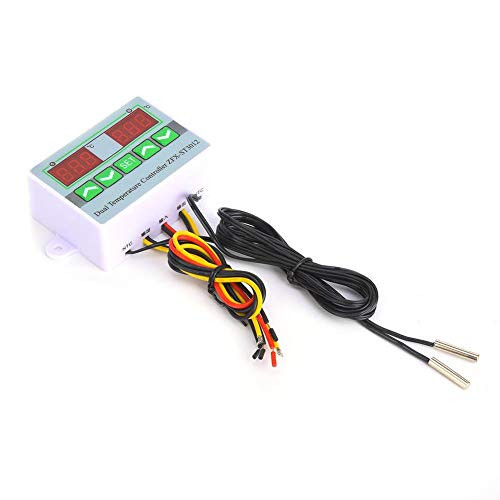
ST3012 Digital Display Dual Temperature Controller Thermostat Incubator Control Microcomputer Dual Probe AC 220V DC12V 24V Optional-AC220V-
Was:
$52.68
Now:
$26.34
(No reviews yet)
Write a Review
Write a Review
ST3012 Digital Display Dual Temperature Controller Thermostat Incubator Control Microcomputer Dual Probe AC 220V DC12V 24V Optional-AC220V-
- SKU:
- ZB645228
- UPC:
- 738585989778
- Condition:
- New
- Availability:
- Free Shipping from the USA. Estimated 2-4 days delivery.