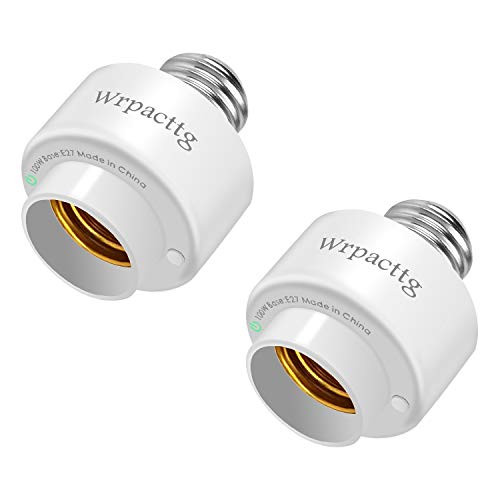
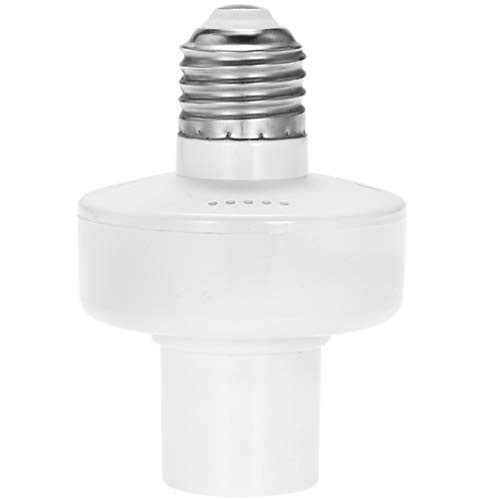
SPECIFICATIONS
Voltage: 110-250V
Material: PC fireproof material
Wireless Connection: only WiFi 2.4GHz
Install
1.Scan the QR code to download "Tuya Smart" APP from APP Store or Google Play.
2.Login Tuya Smart APP and follow the in-app instruction to register an account and connect the Smart Socket to your 2.4 GHz Wi-Fi home network.
3.Preparation: Plug the light socket fully to the outlet, and then long pressing power button for 7 seconds until indicator light quickly flashing.
4.Phone has been connected to WiFi router and able to connect to Internet. Click the icon "+" at the top right corner of "Devices".
5.Make sure the indicator light is flashing quickly, then tap the related name in application.
6.Choose the local WiFi and enter the correct password, click"Next". When complete configuring, then click"Done".
Connection Problem:
1. If the indicator light does not flash quickly when powered on, please long pressing the switch for 5-10 seconds to make it flashing quickly.
2. If the indicator light flashes quickly but failed to connect with app, please confirm the WIFI password is correct.
3. If connect with the app successfully but fail to control the lamp, please restart the router and re-login the Tuya app.
4.If the product cannot connect to wifi, please try to upgrade the TUYA app on your phone. After the upgrade, the product will automatically connect successfully

Smart WiFi Bulb Socket E27 Light Bulb Adapter Wireless Intelligent Control Lamp Holder Compatible with Alexa APP Remote Control -only 2.4 GHz- and Group Control Timer Function 1PC
Was:
$85.28
Now:
$42.64
(No reviews yet)
Write a Review

Write a Review
Smart WiFi Bulb Socket E27 Light Bulb Adapter Wireless Intelligent Control Lamp Holder Compatible with Alexa APP Remote Control -only 2.4 GHz- and Group Control Timer Function 1PC
- SKU:
- ZB190969
- Condition:
- New
- Availability:
- Free Shipping from the USA. Estimated 2-4 days delivery.