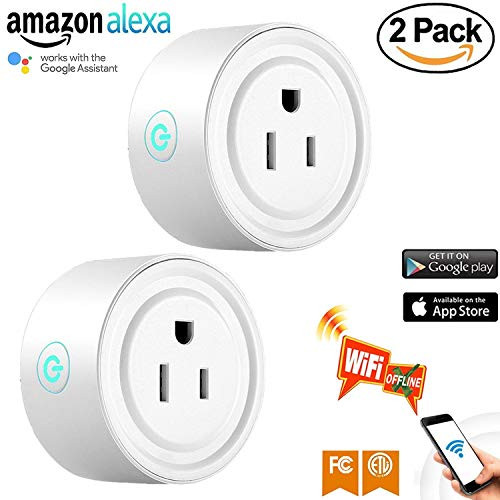
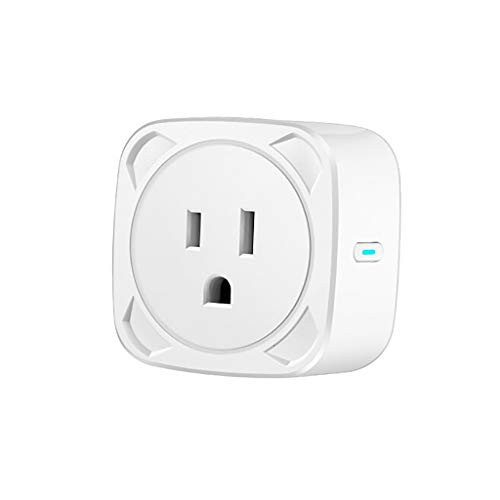
Features of Smart Plug:
Advanced Voice Control
You can control home devices by means of talking with Alexa/Google Home to facilitate your household life. You can assign a name to each socket and create a smart scene or group for all of your WiFi sockets.
Customize The Schedules
You can set up the schedules or timer to automatically turn on/off your home devices at any time based on your time routines via the free "Tuya Smart" APP. It will help save your electricity by keeping the power-hungry devices OFF when they are in idle.
Family Device Sharing
Share the same smart plugs with your family members. The smart plugs narrow the distance between you and your family, making you more intimate and bringing you a happier and easier life.
SPECIFICATIONS
Voltage: 100-250V
Maximum Power: 2200W
Power consumption: 2W
Current: 15A
AC Frequency: 50-60Hz
Working temperature: 30-45° C
Ambient temperature: -40° C -80° C
Material: PC fireproof material V0 grade
Wireless Connection: WiFi 2.4GHz, 802.11b/g/n
Certification: FCC/ETL/CE/ROHS
Easy To Install, No hub Required
1.Scan the QR code to download "Tuya Smart" APP from APP Store or Google Play.
2.Login Tuya Smart APP and follow the in-app instruction to register an account and connect the Smart Plug to your 2.4 GHz Wi-Fi home network.
3.Preparation: Plug the light socket fully to the outlet, and then long pressing power button for 7 seconds until indicator light quickly flashing
4.Phone has been connected to WiFi router and able to connect to Internet.Click the icon "+" at the top right corner of "Devices".
5.Make sure the indicator light is flashing quickly, then tap the related name in application.
6.Choose the local WiFi and enter the correct password, click"Next".When complete configuring, then click"Done".

Smart Plug WiFi Socket, 2 Pack Mini Wireless Intelligent Outlet Compatible with Alexa Google Home for Voice Control, Remote Control Your Devices from Anywhere, Timer Function, FCC ETL Certificated
Was:
$107.88
Now:
$53.94
(No reviews yet)
Write a Review

Write a Review
Smart Plug WiFi Socket, 2 Pack Mini Wireless Intelligent Outlet Compatible with Alexa Google Home for Voice Control, Remote Control Your Devices from Anywhere, Timer Function, FCC ETL Certificated
- SKU:
- q172225
- UPC:
- 779283440864
- Condition:
- New
- Availability:
- Free Shipping from the USA. Estimated 2-4 days delivery.