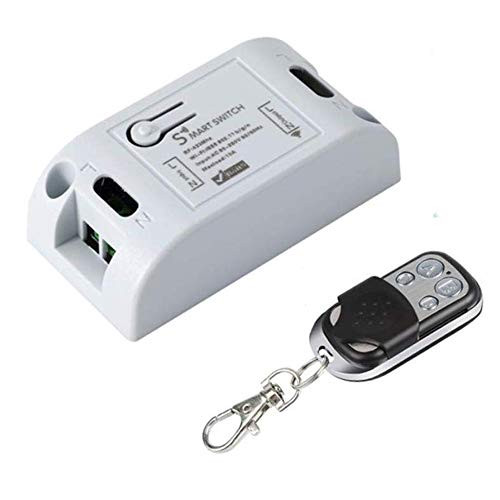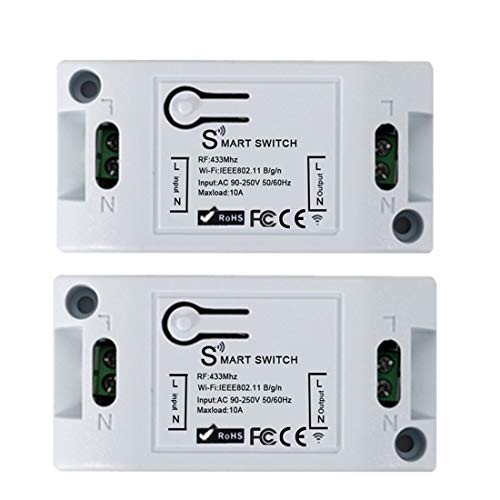
Product Parameters
Input voltage: AC 90-250V
Output voltage: AC 90-250V
Maxload: 10A
Wireless type: Wi-Fi & RF433Mhz
Wireless standard : IEEE802 .11b/g/n
User menu for App Sync:
Download "Smart Life" by scanning the QR code or searching in App Store
In "Smart Life" create an account and select "My Home" on the bottom left corner. Then, select "Add Device"
On the top right corner, select "All devices"
Then, select the third option "Lighting Devices"
On the bottom of the screen, click "Confirm light blinks rapidly"
The "Enter your home's Wi-Fi password will show up, just type n your home wifi password and click "ok"
Connecting screen will pop up, just be patience. Afterward, you will return to Device added successfully. Just click "completed"Connect Alexa with your Switch:
In "Amazon Alexa" app, open up the menu by selecting the top left icon
Select "Skills & Games" search for "Smart Life"
Click "ENABLE SKILL" and type in the user name and password you've registered on "Smart Life" App
Then, just click "Add Device"
Now you can control the light switch with your voice. Remember to check the name of your light switch on an app. (For example, if your light switch is named switch 1, you will have to tell Alexa to switch on switch 1)Remote Controls/ Wall Panel Controls Functions:
Momentary: Push the remote button, the relay connects, release the remote button, the relay dis-connects.
Toggle: Push once the remote button, the relay connects, push twice the remote button, the relay dis-connects.
Latching: Push the remote button A, the relay connects, push the remote button B, the relay dis-connect.Remote Controls/ Wall Panel Controls Pairing Instructions