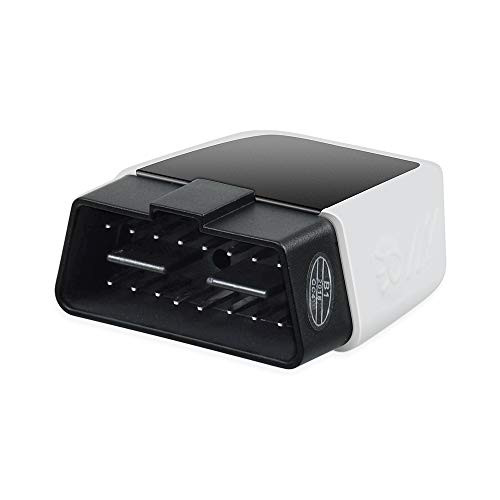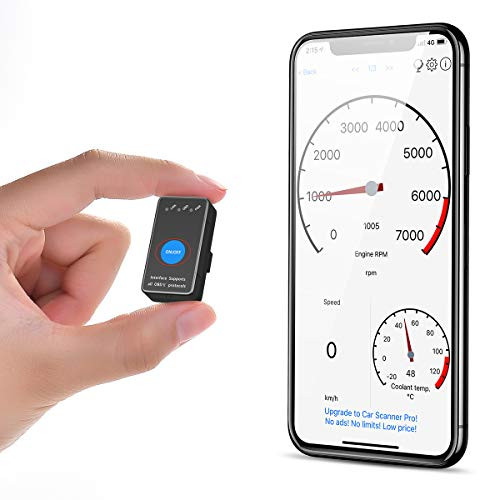
What more information about your vehicle you can get?
EngineRPM, Calculated Load Value, Coolant Temperature, Fuel System Status, VehicleSpeed, Short Term Fuel Trim, Long Term Fuel Trim, Intake Manifold Pressure, (Timinglights), Timing advance, Intake Air Temperature, Air Flow Rate, AbsoluteThrottle Position, Oxygen sensor voltages/associated shortterm fuel trims, FuelSystem status, Fuel Pressure. (NOT read AirBag,ABS, TPMS or OilChange lights.) More data you can explore with the adapter, which depends onyour app and vehicle.
Which vehicle does it support?
obd2 scanner can support all 1996 and newer 12 V Gasoline car, but can not support diesel cars, 24V heavy duty carts, Hybrid or electric vehicles.
Universal Compatibility
iOS: Car Scanner, Auto Doctor, Mini OBD II;Symbian: OBD Scope
Android: Torque, Dash Command, OBD carDoctor, Auto Doctor, Mini OBD II, EOBD, etc
Window: ScanMaster-ELM, ScanTool.net,PCMSCAN, etc
Technical specifications:
Material: ABS
Working voltage: 9-16V
Working current: 35mA
Stand-by current: 25mA
Working Temperature: -40-85?
Quicksteps for connect the OBDII 3rd Party APP(Refer to video)
For iOS devices(Car Scanner): Open Bluetooth Option(No need to Pair iniOS bluetooth setting page just use APP to connect and choose Car scanner ifneeded)?Open Car Scanner?Open on Settings through APP? Connection-Choose connection type(Bluetooth 4.0)?Select Device(OBDII)?Back to Main interface andconnect APP (Note: Be sure to connect to OBD with Bluetooth in the APP setting)
For Android devices(Torque): Open Bluetooth Option?Search Availabledevice(OBDII)?Type device's required PIN:1234/0000?Enter theTorque-Settings?OBD2 Adapter Settings?Connection Type---Bluetooth?Choose Bluetooth Device---OBD2?OBDII-Running Torque