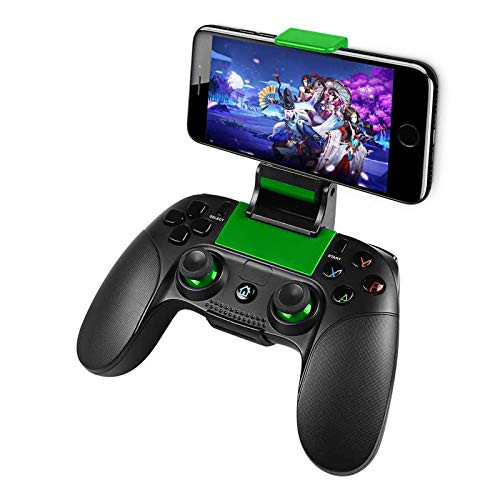
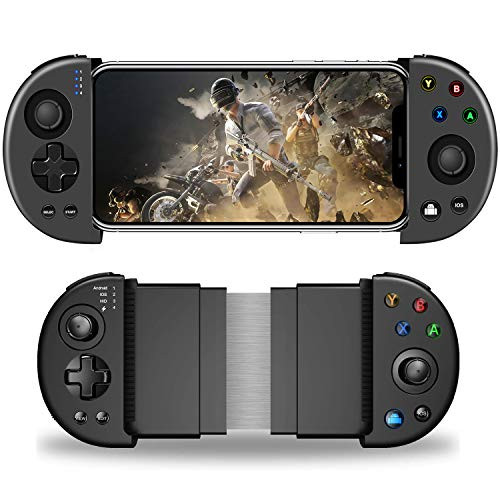
Bluetooth connection function operation
Android Bluetooth Direct mode:
Press A+HOME button to power on LED1 to flash quickly, search for Bluetooth device name, LED1 is on after connecting to Bluetooth, enter GamepadPlus V3 Android mode.
Gamepad Apple Bluetooth Direct Mode:
Press Y+HOME button to power on LED2 to flash quickly, search for Bluetooth device name, connect to Bluetooth LED2 and light up, enter Apple Direct mode.
After connecting Bluetooth, the handle will remember the current mode, and next time you press the HOME button to connect back to Bluetooth. The handle can be turned off by long pressing the HOME button.
Experience the game - download the ShootingPlus V3 App button mapping software first.
After entering Direct Connect mode, you can select the game by combining buttons.
Press HOME+UP: Knives Out)
Press HOME+RIGHT: PUBG Mobile)
Press HOME+DOWN: Mobile Legends
Press HOME+LEFT: Arena of Valor)
If you want to play other games, you can use the settings in the ShootingPlus V3 App software. This also allows you to experience the game with the handle.
Note: Please refer to the manual for operations such as button functions and online use.

Mobile Game Controller Phone Gaming Wireless Controller Gamepad Joystick for Android V6 0 iOS V11 3 Above System
Was:
$101.88
Now:
$50.94
(No reviews yet)
Write a Review

Write a Review
Mobile Game Controller Phone Gaming Wireless Controller Gamepad Joystick for Android V6 0 iOS V11 3 Above System
- SKU:
- O527251
- UPC:
- 760385450240
- Condition:
- New
- Availability:
- Free Shipping from the USA. Estimated 2-4 days delivery.