Why do You Buy RYY Green Light Computer Clicker for Presentations
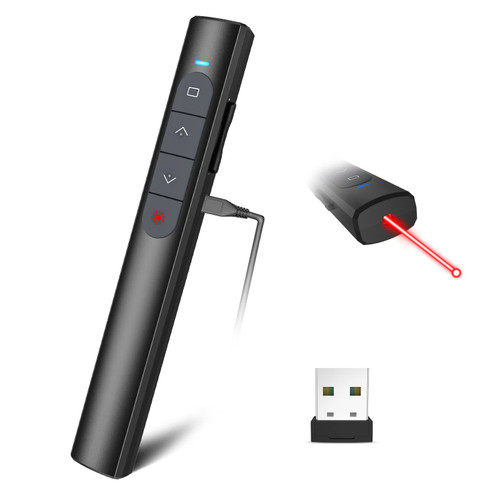
1.The presentation clicker for mac not only gives you the ability to easily change the slides but with the green pointer built in.You can clearly explain what you're teaching and point out the key points to all your listeners or students.
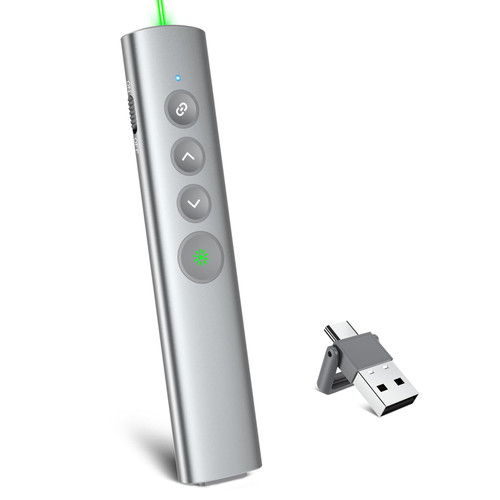
2.PowerPoint clicker has a quality button texture and quality metal housing, silky smooth feel, very light weight, as if there is no grip feeling, can be light to this point of the metal powerpoint clicker, I'm afraid there are few and far between.
3.Green light pointer presenter has a big clear light beam. Presenter remote light Range: 650nm.
4.Cats and dogs love chasing light spot. Clicker for PowerPoint presentations has bright pointing light dot.
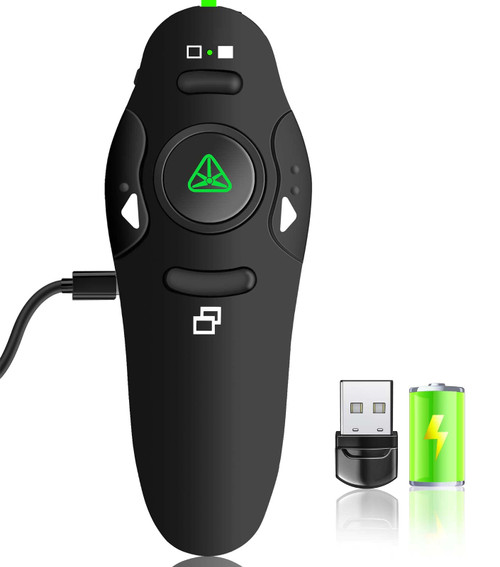
5.The wireless presenter remote control is comfortable to hold and ergonomically designed ?
6.The presentation pointers are perfect gift for your friends, coworker, family or teacher must haves.
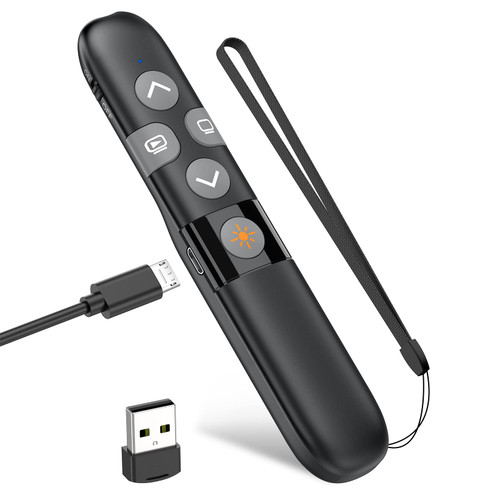
7.Powerpoint remote clicker has a 200mAh battery, a charge can be used for about 65 days, powerpoint clicker with power saving function, when not in use will not waste the power in your powerpoint clicker. Small size, easy to carry when traveling..
8.Pointer for presentations has sleek profile and light, so easy to keep in pockets or in clothes.
9.Teacher pointers for classroom is easy to use even for a beginner.
Presentation Remote Product Specifications
Technology: Radio Frequency
PPT clicker frequency: 2.4GHz
Control distance: 100FT
Light Class IIIA(<5mW)
Green Light Distance: >200m
Light Wavelength: 650nm
Working Voltage: 3.7V
Dimension: 141*13*30mm
Weight: 67.76g
Slide Clicker Warm Tips
(1) Do not forget to turn off your wireless presentation clicker after use!
(2) Do not forget to pull out the USB receiver of presentation clicker after use!
(3) PowerPoint remote clicker 1 YEAR QUALITY SUPPORT.

MIPREZT Rechargeable Presentation Clicker Wireless with Green Laser Pointer for Presentation, Presenter Remote, Presentation Clicker, Slide Advancer Keynote/PPT/Classroom,Mac/Windows/Linux
Was:
$139.88
Now:
$69.94
(No reviews yet)
Write a Review
Write a Review
MIPREZT Rechargeable Presentation Clicker Wireless with Green Laser Pointer for Presentation, Presenter Remote, Presentation Clicker, Slide Advancer Keynote/PPT/Classroom,Mac/Windows/Linux
- SKU:
- ZDU886190
- UPC:
- 755828554203
- Condition:
- New
- Availability:
- Free Shipping from the USA. Estimated 2-4 days delivery.