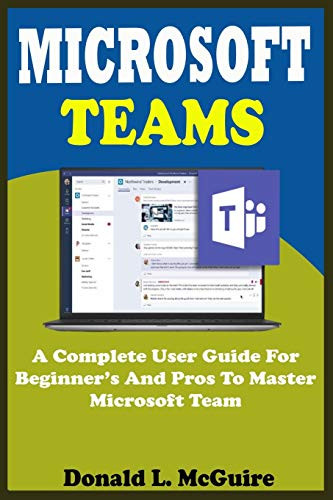
Microsoft Teams is a collaboration app that helps your team stay organized and chat. It is a chat-based collaboration tool that enables global, remote, and dispersed teams to work together and share information in a common area. You can take advantage of great features like document collaboration, one-on-one chat, team chat, and more. Microsoft Teams is also integrated with many other Office 365 services like Skype, SharePoint
Donald L. McGuire is a renowned computer analyst who presents the quick and easy steps you need to master Microsoft teams across all devices in this book as you will see in this preview:
About Microsoft Teams
Advantages of Microsoft Teams.
How to use Microsoft team
Frequently asked questions
Tips about Microsoft teams
Why should companies use Microsoft teams
Microsoft team features for end users
Sharepoint organisation asset library
What is the sharepoint business entity library?
How to enable sharepoint business assets
How to create a team
Recommendations for your first teams and channels
Tools for team
How to create staff team
Benefits of using personal equipment
How to manage Microsoft team
How to add or remove members and owners.
How to make changes to teams
How to solve problems on team
How to access the graphics explorer.
How to schedule a meeting
How to edit teams
How to add to team
How to add members to a team in teams
How to create channel on team
How to create a standard channel
How to create custom channel
How to add members to a private channel
How to manage creation of custom channels
How to edit, delete, hide or leave a channel
How to manage channel
How to delete channel on windows
How to delete channel on ios
How to delete channel on android
How to restore deleted team and channel
How to send an email to teams channel
How to add channel link
How to use tabs on team
Tips for managing files
How to use connectors on team
How to add a connector to a channel
How to use the search feature
How to use call modifiers
How to filter your activity feed
How to find your saved messages
How to use quick commands
How to communicate with teams
How to plan your meeting
How to start your meeting
How to start video calls, voice calls, or share my screen with someone else
How to set up a virtual meeting in teams
Using the conversation tab in Microsoft teams
How to join meeting with Microsoft teams
How to invite people outside your organiza

MICROSOFT TEAMS A Complete User Guide For Beginner And Pros To Master Microsoft Team In The Office 365 Suite And Mobile Device Like Android And Ios Devices With Actual Screenshot Tips Tricks
Was:
$85.96
Now:
$42.98
(No reviews yet)
Write a Review
Write a Review
MICROSOFT TEAMS A Complete User Guide For Beginner And Pros To Master Microsoft Team In The Office 365 Suite And Mobile Device Like Android And Ios Devices With Actual Screenshot Tips Tricks
- SKU:
- ZT200573
- UPC:
- 9798666271568
- Condition:
- New
- Availability:
- Free Shipping from the USA. Estimated 2-4 days delivery.