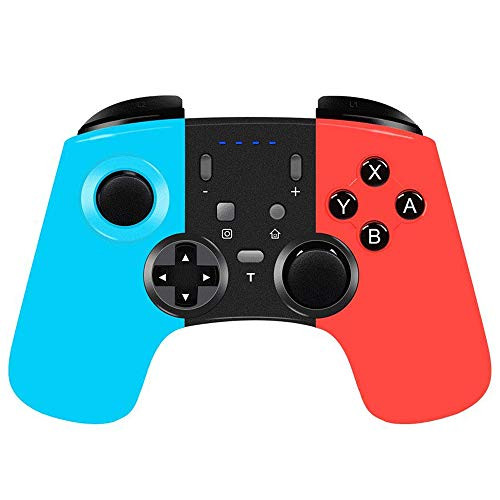
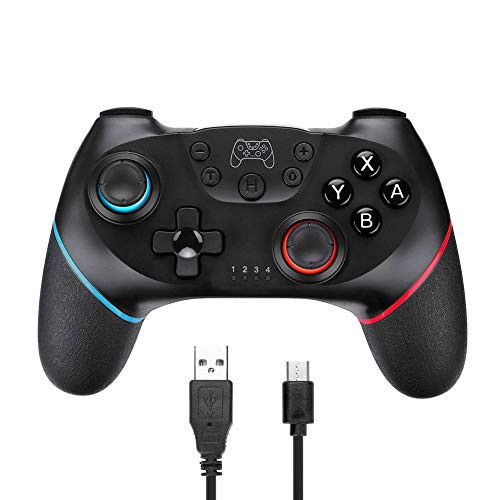
The Bluetooth wireless controller is used in connection with the Switch Console to support motor vibration and sensor. Two high quality analogue sticks come without any dead zone.
Connection Methods:
a. 1st time to connect:
1.Power on the Switch;
2.In the menu page of Switch Console, First select "Controller" and then click on the page "Change Grip / Order";
3.Press and hold the HOME button 5 seconds, and 4 LED indicators blink fast. LED 1 indicator keeps on after successful connection.
b. 2nd time to connect:
Press the HOME button on any page, and 4 LED indicators blink slowly. LED 1 indicator keeps on after successful connection.
Charging Indication:
1.4 LED indicators blink slowly during charging under unconnected with switch console.
2.Matched LED indicator blinks slowly during charging under connected with switch console.
Note:
1.The switch pro controller can be used normally when charging.
2.The controller stable connection distance 10m.(barrier-free environment).
3. Press and hold one action button, then press the Turbo button, Turbo feature will be valid. And press again T to stop Turbo function.
4. The switch game controller doesn't turn the Switch on from sleep mode.
5. Do not use a USB charger with current >1A.
Specifications:
Controller weight: 200g
Controller size: 157mm*110mm*57mm
Controller material: ABS
Battery capacity: 500mA
USB input voltage: 5V
USB input current: 350mA
Package List:
1 * Maegoo Wireless Pro Controller
1 * Type-C Charging Cable
1 * User Manual

Maegoo Controller for Switch Bluetooth Wireless Controller Gamepad Joypad Joystick Supports Sensor 6 Gyro Axis Turbo and Dual Vibration Compatible with Nintendo Switch Black
Was:
$93.88
Now:
$46.94
(No reviews yet)
Write a Review

Write a Review
Maegoo Controller for Switch Bluetooth Wireless Controller Gamepad Joypad Joystick Supports Sensor 6 Gyro Axis Turbo and Dual Vibration Compatible with Nintendo Switch Black
- SKU:
- O499768
- UPC:
- 722367134340
- Condition:
- New
- Availability:
- Free Shipping from the USA. Estimated 2-4 days delivery.