Instructions for use:
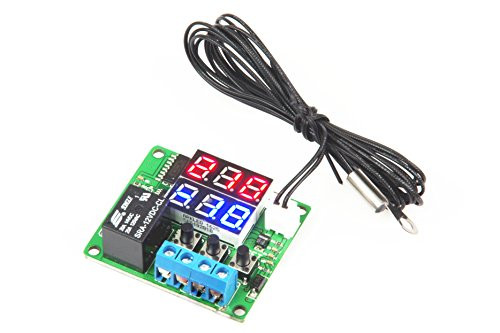
Circuit connection: Connect the power supply with reference to the circuit diagram and load, then digital (on) Display:preset temperature 1, digital control (below) shows: preset temperature 2.
Temperature sensor is missing or damaged digital tube will show :---, make sure that the line is correct.
LEDs, LED status descriptions:
LED: Off indicates the relay off, ON means relay is closed.
Digital: Display :---: check the temperature sensor is missing or damaged;2, the heating temperature protection mode;low-temperature cooling mode protection. In protected mode relay automatically disconnected.
Use keys: temperature control panel has three buttons, pressing the + key - to set the key SET.
SET Press: to enter the actual temperature and the operating mode query interface, digital (on) the actual measured temperature. Digital (lower) showing the operation mode. C represents a cooling mode, H represents the heating mode, OFF means stop mode.
Mode setting: Set the temperature T1, the set temperature T2.
Hot start - cooling mode: Set the temperature T1> set temperature T2
When the detected temperature?temperature T1, the relay is closed, refrigeration equipment work; when the detected temperature ? temperature T2, the relay is switched off, the cooling device stops working.
Cold start - heating mode: Set the temperature T1 < set temperature T2.
When the detected temperature?temperature T1, the relay is closed, the heating device is working; when the detected temperature ? temperature T2, the relay is switched off, the heating device stops working.
When the preset temperature T1=preset temperature T2, the thermostat is in OFF mode, the relay is switched off.
Parameter settings: the need for the user parameter settings must first hold the SET button and then give the thermostat power, to enter the parameter setting interface.

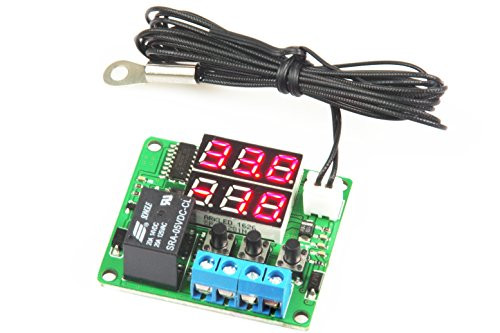
LM YN Digital Thermostat Module DC 5V -10? to 210? Electronic Temperature Control Module Switch Waterproof Sensor Probe Dual LED Display Red Red
Was:
$46.90
Now:
$23.45
(No reviews yet)
Write a Review
Write a Review
LM YN Digital Thermostat Module DC 5V -10? to 210? Electronic Temperature Control Module Switch Waterproof Sensor Probe Dual LED Display Red Red
- SKU:
- TE293544
- Condition:
- New
- Availability:
- Free Shipping from the USA. Estimated 2-4 days delivery.