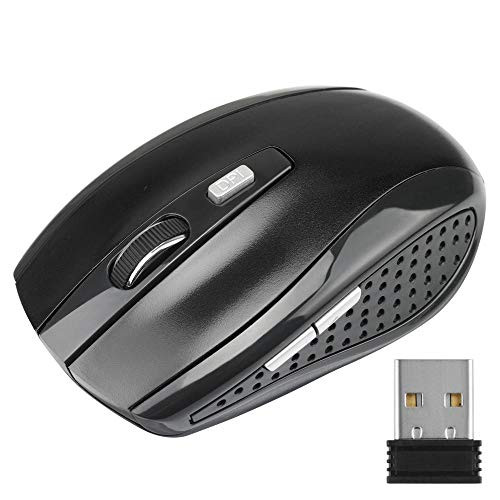
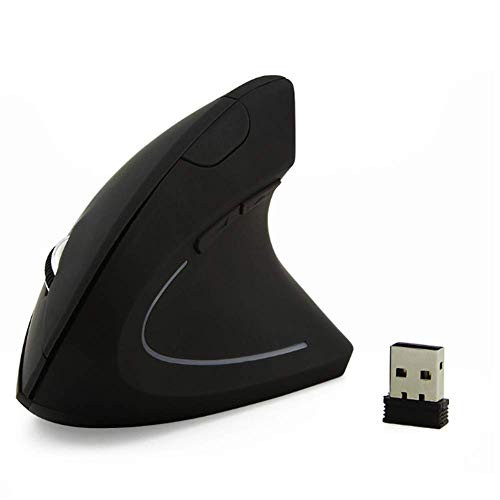
Product features: RGB color wireless charging mouse One key switch adjustment of three gear DPI 2. 4GHz wireless solution for energy saving Mouse built-in 800MAH battery, recyclable charging. More economic, more environmental protection! Installation instructions: Step 1: the nano receiver at the bottom of the mouse (the rectangular slot beside the switch at the bottom of the mouse) is installed through the USB interface of the computer. Step 2: turn on the switch at the bottom of the mouse to pair with the computer (normal pairing time takes 10 to 30 seconds). The first is installation. If matching is needed, it can be used after successful pairing. Step 3: move the mouse or press the left and right keys to activate normal use. matters needing attention: (Note: this model of mouse charging must be turned to the on position to charge normally) 1. The mouse can be fully charged in 2-3 hours. The charging device supports USB interface, mobile phone charging head and mobile power supply. 2. The switch at the bottom of the mouse indicates that close is to close the mouse. The color backlight will be turned off. Turn on the mouse, 0 is to turn on the color backlight, turn on the mouse. 3. When the mouse cursor moves slowly, or the mouse is dim or stuck. Please check whether the battery is on time. It is recommended to charge it in time. 4. When the mouse cannot be connected, please check whether the power switch at the bottom of the mouse is turned to onamic, or move the nano receiver to the USB interface of other devices. 5. If you do not use the mouse for a period of time, it is recommended to turn off the mouse power switch to save the mouse battery power loss.

Kchibo bm-600 Wireless Game Mouse, USB Receiver, Ergonomic RGB Optical Game Mouse, Suitable for Notebook Computers
Was:
$47.86
Now:
$23.93
(No reviews yet)
Write a Review

Write a Review
Kchibo bm-600 Wireless Game Mouse, USB Receiver, Ergonomic RGB Optical Game Mouse, Suitable for Notebook Computers
- SKU:
- ZB576460
- UPC:
- 788393135607
- Condition:
- New
- Availability:
- Free Shipping from the USA. Estimated 2-4 days delivery.