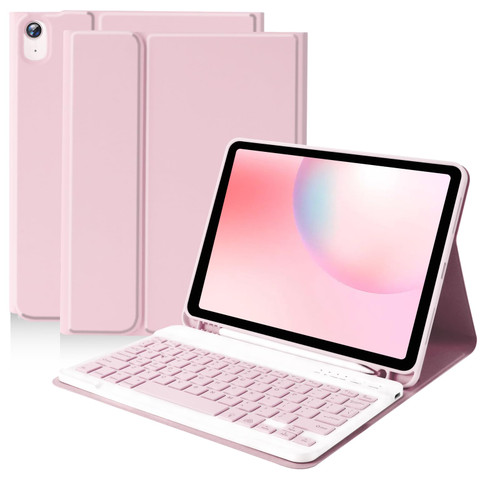
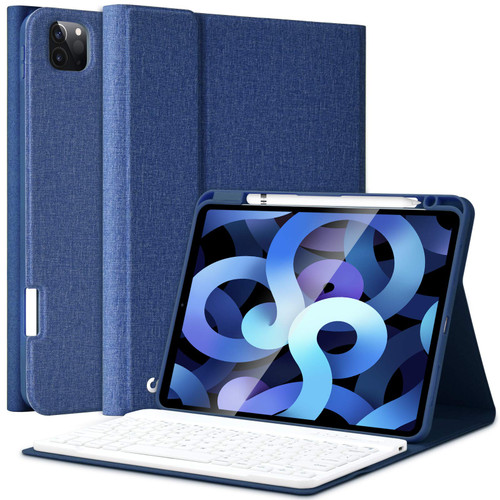
iPad Air 5th Generation 10.9 Keyboard Case,Case with Keyboard for iPad Air 4 10.9",Detachable Wireless Keyboard-Built-in Pencil Holder for iPad Pro 11 1st Gen/iPad Air 4 /5th 10.9" 2020/2022
Describe:
1.Our keyboard case is compatible with the iPad Air 5th 10.9 inch, iPad Air 4th 10.9 inch, setting up 3 different horizontal stand angles with a flip magnet separate design on the bottom of the cover to ensure a comfortable viewing angle - Typing, Reading, Watching videos - providing you with amazing versatility.
2.Built-in Apple Pencil holder, cap & adapter slots, storage your Apple Pencil, easily to carry your iPad Stylus Pen and use when needed. (Note: iPad pencil, cap & adapter not included)
3. Precise cutouts allow full access to all ports, speakers, microphone and cameras. Built-in Rechargeable battery could extend the battery life, 2-4 hours full charge, work for more than 80 hours, stand by for 120 days.
4. iPad Pro 11-inch (1st generation) 2018 keyboard case Auto sleep/wake function protects and conserves the iPad battery life. When you close the case it puts the tablet in sleep. It wakes it up when you open it.(It is recommended that you remove the keyboard, avoid automatic sleep and wake-up function cannot be used normally)
Supply quantity:
1 x 10.9 4th iPad case
1 x White keyboard
1 x Transparent keyboard protector
1x Usb charging cord
1 x User guide
How to connect keyboard Bluetooth:
1. Turn on the keyboard power. (The POWER indicator will flash about 2 seconds then goes off, this is normal).
2. Press "Connect" button on the keyboard into Bluetooth matching condition.
3.Open your iPad Bluetooth setting, click on Bluetooth and search for the keyboard.Look for Bluetooth Keyboard" in the searching page, just select it.

iPad Air 5th Generation 10.9 Keyboard Case,Case with Keyboard for iPad Air 4 10.9",Detachable Wireless Keyboard-Built-in Pencil Holder for iPad Pro 11 1st Gen/iPad Air 4 /5th 10.9" 2020/2022,BLUE
Was:
$129.86
Now:
$64.93
(No reviews yet)
Write a Review

Write a Review
iPad Air 5th Generation 10.9 Keyboard Case,Case with Keyboard for iPad Air 4 10.9",Detachable Wireless Keyboard-Built-in Pencil Holder for iPad Pro 11 1st Gen/iPad Air 4 /5th 10.9" 2020/2022,BLUE
- SKU:
- ZDV328309
- Condition:
- New
- Availability:
- Free Shipping from the USA. Estimated 2-4 days delivery.