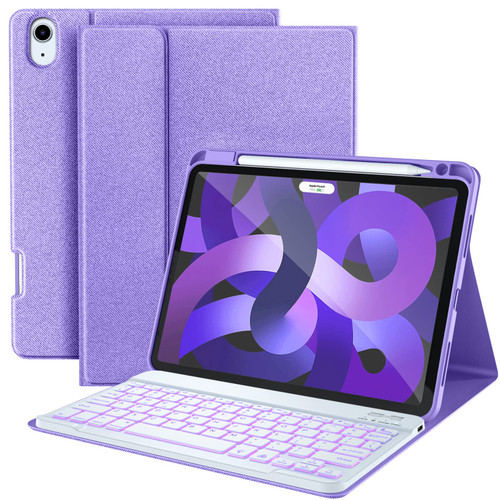
FEATURES & ADVANTAGES - 3 anti-slip groove design provides multiple viewing angles whether you're typing or watching adjusts the iPad screen to perfect stand angle to suit your visual levels. - 7 Colors Backlit iPad air case with keyboard make you can adjust color or seven-color breathing light cycle mode as you like that allow you to enjoy-quick, accurate typing experience in the dark. - iPad air 5th generation keyboard with a full row of well-spaced shortcut keys customized for iPad to perform simple operations without looking in the screen or menu, which are the perfect choice worker and student. - Built-in Apple Pencil holder for easy storage and with magnetic charging if you place the 2nd generation Apple Pencil. - The folio iPad case with skin-friendly but sturdy PU material, provides sufficient protection and take your iPad anywhere. - Upgraded soft TPU back cover with non-slip design protects your iPad from shocks, scratches and interior comes with honeycomb design dissipates heat from iPad.
HOW TO CONNECT THE KEYBOARD 1. Slide power switch ON/OFF to on position, power indicator light blue 5s then goes off. 2. Press Connect button, paring indicator flashes. 3. Turn on the Bluetooth at your tablet Settings. Find the Bluetooth 3.0 Keyboard and select it, it will connect automatically. 4. Paring indicator goes off after connect successfully. Note: If there is no response, please forget the previous Bluetooth Keyboard device and restart the keyboard.
PACKAGE LIST 1* iPad Case for iPad Air 5th/4th Gen (No Stylus Pencil) 1* Bluetooth Keyboard 1* Type C Charging Cable (No Charger) 1* User Manual