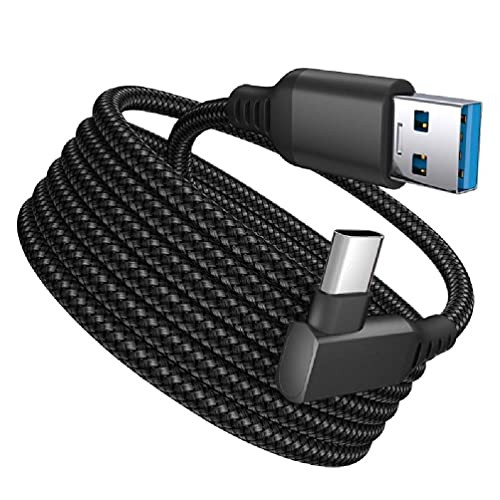
Specification:
Material: copper wire+TPE
Shield: double-layer spiral braided ground shield
Signal requirements: USB3.2 Gen1 transmission capacity up to 5Gbps
Color: black, white
Type: A(Type C to C, 4.7m), B(Type A to C, 5m), C(Type A to C, 3m), D(Type A to C, 4m), E(Type A to C, 5m, white)
Interface: A: Type C to Type C; B/C: Type A to Type C
Length(approx): A: 4.7m/185inch , B/E: 5m/196.85inch, C: 3meters/118.11inch, D:4m/157.48inch
Outer dia(approx): 5.5mm/0.22inch
Suitable model: for Oculus Quest 2, for Oculus Quest
Power supply: 3A
Bandwidth: 5Gbps
Headset interface: elbow
Computer interface: straight
Package:
1 pc x cable
Use:
1. For VR devices to play wired streaming, there are requirements for the computer configuration,
the minimum configuration requirements: graphics card 1050Ti or more, CPU i3 or more.
2. Download the OCULUS application software and install it on the computer, and log in with the registered account.
3. Find the USB3.0 interface connection on the motherboard, and add a paired VR headset to the application.
4. Check the link status, test rate, and personalized settings.
5. Wear a helmet and click OCULUS Link in the settings to play.
Precautions:
The test rate is normal between 1.2 and 3G. The speed is very much related to the matching degree of the computer configuration and the helmet connection.
The higher the configuration, the better the computer experience. If you encounter a situation where the mismatch cannot be found,
it is recommended to uninstall and install it again. The client restarts the VR connection on the computer,
and you can try again and again. Please keep the device fully charged before playing.

EMVANV Oculus Link Cable USB C VR Headset Cable Stream USB3.2 Data Line 16FT Charging for Oculus Quest 2 Type A to Type C USB C VR Headset Cable Fast Charging
Was:
$52.08
Now:
$26.04
(No reviews yet)
Write a Review

Write a Review
EMVANV Oculus Link Cable USB C VR Headset Cable Stream USB3.2 Data Line 16FT Charging for Oculus Quest 2 Type A to Type C USB C VR Headset Cable Fast Charging
- SKU:
- ZB132117
- Condition:
- New
- Availability:
- Free Shipping from the USA. Estimated 2-4 days delivery.

USB C VR Headset Cable Stream USB3.2 Data Line 16FT Charging for Oculus Quest 2
Was:
$54.84
Now:
$27.42