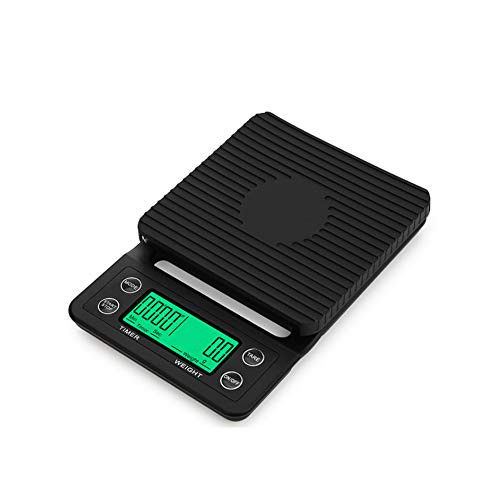
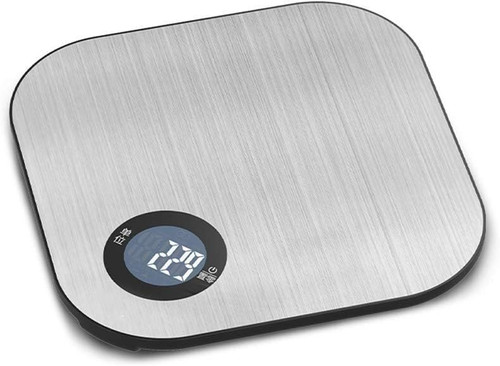
1? Specification parameters
Automatic shutdown: 3-minute automatic shutdown (configurable)
Operating temperature: 0-40 ?
LCD display: 5-digit LCD display
Backlight: White display (optional)
Power supply: 2X "AAA" battery/external DC 6V power supply
Maximum display box size: 166X142X81MM
Display box size: 166X126X32MM
Tray: 113X99MM
Single unit weight: 225G
Peeling function (TARE)
Unit selection: (UNIT): KG/G/LB/CA T
Automatic low battery alarm: waterproof touch button design
2? Operating instructions:
Install the 2 X "AAA" battery correctly according to the instructions in the battery compartment, or connect the external power supply to the mains (DC=6V). Place the scale body on a stable and windless table.
1. Press the "ON" button and wait for 5 seconds to display 0.0;
2. Place the heavy object on the pallet surface, and when the S symbol appears in the upper left corner, it is the accurate weight of the object being weighed;
3. Press the UNIT key to change the measurement unit, G/KG/LB/CA (T)
4. Press TARE to forcibly reset to zero
5. Press "ON/OFF" to turn off the computer when it is turned on.
6. Calibration function:
Press the ON button for 3 seconds until the LCD displays "0", then release the button and press the target button to confirm and display a flashing weight value (such as 3000.0). At this time, place 3000g of weight on the tray (if there is no suitable weight available, press the TARE button to select the appropriate weight value for calibration). When the value flashes, stop and the current weight value is displayed. Calibration is complete. (Please use this function if the temperature difference is too large or the weighing is not accurate due to other reasons)
If you have any questions, please send us an email. We will try our best to answer your questions.
Automatic shutdown: 3-minute automatic shutdown (configurable)
Operating temperature: 0-40 ?
LCD display: 5-digit LCD display
Backlight: White display (optional)
Power supply: 2X "AAA" battery/external DC 6V power supply
Maximum display box size: 166X142X81MM
Display box size: 166X126X32MM
Tray: 113X99MM
Single unit weight: 225G
Peeling function (TARE)
Unit selection: (UNIT): KG/G/LB/CA T
Automatic low battery alarm: waterproof touch button design
2? Operating instructions:
Install the 2 X "AAA" battery correctly according to the instructions in the battery compartment, or connect the external power supply to the mains (DC=6V). Place the scale body on a stable and windless table.
1. Press the "ON" button and wait for 5 seconds to display 0.0;
2. Place the heavy object on the pallet surface, and when the S symbol appears in the upper left corner, it is the accurate weight of the object being weighed;
3. Press the UNIT key to change the measurement unit, G/KG/LB/CA (T)
4. Press TARE to forcibly reset to zero
5. Press "ON/OFF" to turn off the computer when it is turned on.
6. Calibration function:
Press the ON button for 3 seconds until the LCD displays "0", then release the button and press the target button to confirm and display a flashing weight value (such as 3000.0). At this time, place 3000g of weight on the tray (if there is no suitable weight available, press the TARE button to select the appropriate weight value for calibration). When the value flashes, stop and the current weight value is displayed. Calibration is complete. (Please use this function if the temperature difference is too large or the weighing is not accurate due to other reasons)
If you have any questions, please send us an email. We will try our best to answer your questions.