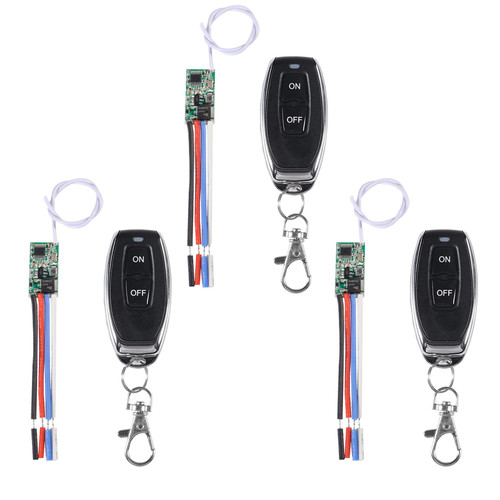
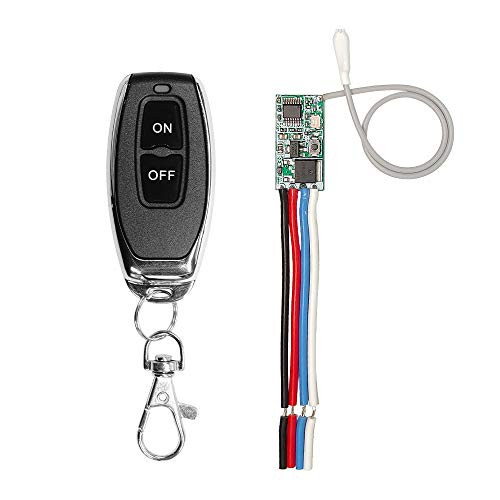
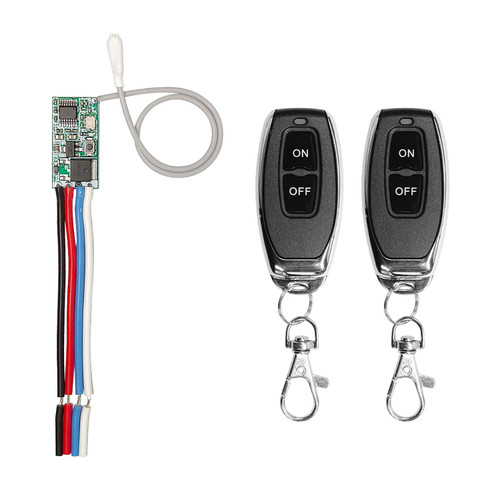
Specifications :
Operating RF Frequency:433MHz
Coded System:1527 Learning Code
Working voltage:DC 3.6V~24V
Working Current:12mA
Wireless Operating Distance:50m or 300m(Free Space)
Transmitting Power:10mW
Transmission Rate:50 ~ 60KHz
Frequency Deviation:±0.2MHz
Customizable special code:MCU type
Maximum load:2A
Static current:3.6 mA ~ 5.5mA
Reception sensitivity ? -107dBm
Number of stored remote data? 5
Modulation modeASK (superheterodyne)
Momentary Mode
Press the remote button , the relay connects; release the remote button , the relay disconnects.
Detail Figure 1Toggle Mode
Press once the remote button , the relay connects ;press the button again the relay disconnects.
Detail Figure 2Latching Mode
Press the remote button A, the relay connects; press the remote button B, the relay disconnects.
wiringDelay Mode:
Press the remote control button , the relay connects ; after 5s or 10s or 15s or 20s , the relay disconnect automatically.
1.RECEIVER OPERATING MODE SETTINGS
Momentary Mode Setting
Press the learning button of the receiver once , it comes into Momentary setting mode.
Wait for a moment, the LED indicator of the receiver board will be on.
Press the remote button,the LED indicator will flash 3 times and then go out, the setting is successful.
2.Toggle Mode Setting
Press the learning button of the receiver twice, it comes into Toggle setting mode.
Wait for a moment, the LED indicator of the receiver board will be on.
Press the remote button,the LED indicator will flash 3 times and then go out, the setting is successful.
3.Latching Mode Setting
When selecting the Latching Mode, two different buttons need to be set, the first button is set to "ON", and the second button is set to "OFF".
Press the learning button of th
Operating RF Frequency:433MHz
Coded System:1527 Learning Code
Working voltage:DC 3.6V~24V
Working Current:12mA
Wireless Operating Distance:50m or 300m(Free Space)
Transmitting Power:10mW
Transmission Rate:50 ~ 60KHz
Frequency Deviation:±0.2MHz
Customizable special code:MCU type
Maximum load:2A
Static current:3.6 mA ~ 5.5mA
Reception sensitivity ? -107dBm
Number of stored remote data? 5
Modulation modeASK (superheterodyne)
Momentary Mode
Press the remote button , the relay connects; release the remote button , the relay disconnects.
Detail Figure 1Toggle Mode
Press once the remote button , the relay connects ;press the button again the relay disconnects.
Detail Figure 2Latching Mode
Press the remote button A, the relay connects; press the remote button B, the relay disconnects.
wiringDelay Mode:
Press the remote control button , the relay connects ; after 5s or 10s or 15s or 20s , the relay disconnect automatically.
1.RECEIVER OPERATING MODE SETTINGS
Momentary Mode Setting
Press the learning button of the receiver once , it comes into Momentary setting mode.
Wait for a moment, the LED indicator of the receiver board will be on.
Press the remote button,the LED indicator will flash 3 times and then go out, the setting is successful.
2.Toggle Mode Setting
Press the learning button of the receiver twice, it comes into Toggle setting mode.
Wait for a moment, the LED indicator of the receiver board will be on.
Press the remote button,the LED indicator will flash 3 times and then go out, the setting is successful.
3.Latching Mode Setting
When selecting the Latching Mode, two different buttons need to be set, the first button is set to "ON", and the second button is set to "OFF".
Press the learning button of th