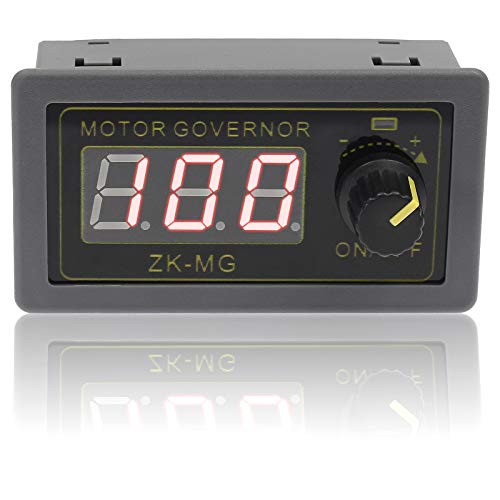
Features:
- Support ON/OFF output
- Soft start function
- Support set duty cycle
- Support set frequency
- Adjustable digital encoder
- Instrument case
- Support reverse connection protection
- Support parameter memory function
Parameter Set Mode:
- Short press potentiometer: Select the parameter you want to set including Lower Limit Value of duty cycle, Upper Limit Value and Output Frequency, which could be switched by yourself.
** The lower limit of the duty cycle is displayed as "L" + two digits; The upper limit of the duty cycle is displayed as "H" + two digits or "100"; And the operating frequency is displayed as "F" + two digits.
- Long press potentiometer: Save parameter and quit setting mode to normal display mode.
- Rotate potentiometer clockwise: Increase the setting value.
- Rotate potentiometer counterclockwise:Decrease the setting value.
- STOP pads inside:It is used to connect to an external switch button to turn ON/OFF output if user need control output by another button or controller.
Note:
- The module is a PMW driver, which controls the controlled device by changing the frequency and duty cycle of the output signal. It is not a voltage converter, it has no function to change the output voltage.
Potentiometer Introduction:
1. Long press means need keep press for more than 3second.
2. Default display duty cycle.
3. Normal display mode:
3.1 Short press potentiometer:Turn ON/OFF output signal.
3.2 Long press potentiometer:Enter parameter set mode.
3.3 Rotate potentiometer clockwise:Increase duty cycle value.
3.4 Rotate potentiometer counterclockwise:Decrease duty cycle value.
Use Steps:
1. Connect right work voltage(Note:dont connect load before set parame