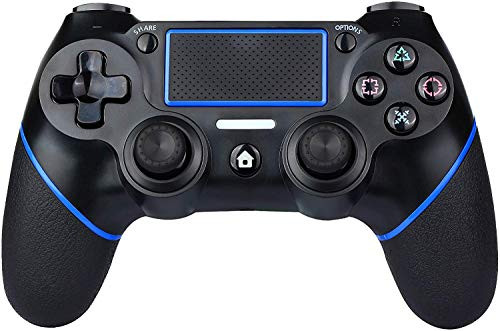
USERGAING wireless PS4 controller is the brand new design PS4 controller that brings you ultimate user experience.
With 6-axis sensor, this controller supports accurate operation, dual vibration, acceleration, gravity response,
and various functions depending on specific game providing you with an immersive gaming
experience Pairing to PS4 .
1. To Connect pair with PS4 connect the supplied USB cable to the controller and the PS4 and hit the home key.
Once the controller is recognized you can use it either wired or wirelessly.
2. Connect the controller to PC : The controller can be connected to a PC via a USB cable and used as a wired controller.
The driver is automatically installed when you connect it to your PC(Windows 7/8/8.1/10) Compatible with PS4 / PS4Pro / PS4Slim / PS3 / PC (Windows7/8/8.1/10).
Also applies to the latest PS4 system software version. It can be used as a wired controller when connected to a computer via a USB cable.
Headphone jack: A 3.5 mm TRRS multimedia stereo jack allows you to use headphones to hear or headphones with mic if you want to participate in the conversation,
adjusting the volume with the controller for ease of use.
How to Use Turbo Function?
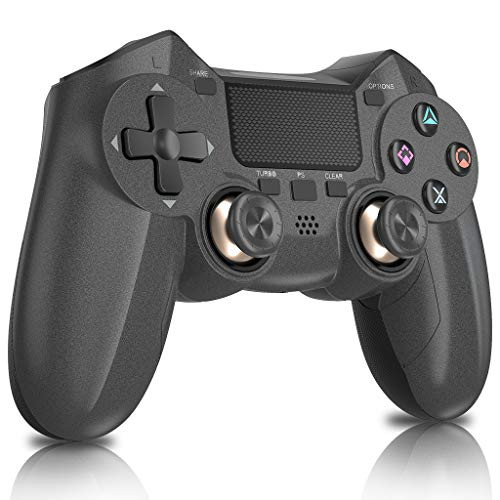
How to Turn Turbo on While holding the Turbo button
press the Action button (ex. The hold the Tubo button down than hit X to activate turbo on the X Button.
Specifications 6.5 x 4.7 x 2.7
5.5V ~ 1000mA DC 3.6 - 4.5V
10.6oz
Note: 1.If somethings wrong with the product, it can be reset.
Reset 1. You can reset the controller to if needed by using a straightened paper clip and pressing the reset button through a small hole on the bottom.
2.If you cannot connect to PS4, please use the cable included in the package instead of the original cable,
delete the name of the Bluetooth installed in the PS4 and try again.
Package Contains:
1x Controller
1x Cable
1x Manual

Controller for PS4 Wireless Controller for Playstation 4 3 Pro Slim PC USERGAING Dual Vibration Audio Function Gyro LED Indicator and Touch Panel Gamepad
Was:
$139.78
Now:
$69.89
(No reviews yet)
Write a Review
Write a Review
Controller for PS4 Wireless Controller for Playstation 4 3 Pro Slim PC USERGAING Dual Vibration Audio Function Gyro LED Indicator and Touch Panel Gamepad
- SKU:
- S293347
- UPC:
- 788510946697
- Condition:
- New
- Availability:
- Free Shipping from the USA. Estimated 2-4 days delivery.