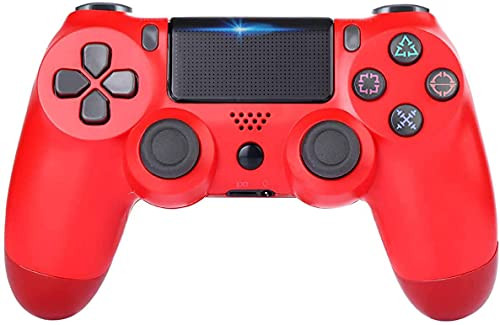
Main Features
Dimension of the product: 160.5*105.5*68.5mm
Weight:245g
Wireless Distance: About 8 meters
Input voltage: DC5.0V
Lithium battery capacity: 600MAH
Lithium battery weight: 14g
Working voltage: 3.6-4.2V
Working current: 20-80 mA
Vibration current: 80-140 mA
Instruction:
1. Connect to P4 host
1) After the P4 host starts to enter the interface, insert the data line into the host's USB port, connect the handle to the data line, then press the small house menu key at the handle end, the handle LED light will flash, when the single color LED on the handle is always bright, indicating that the connection is successful. Then unplug the data line. The handle is automatically connected back to the host.
2) Handle color LED indicator status description: display player status, press the small house key, LED light bar will light in order of blue, red, green and pink, configure the controllers, as player login order identification.
3) Up to four wireless handles can be used simultaneously. The number of devices that can be connected at the same time varies from device to device.
4) When the P4 wireless handle cannot be matched with the host, the maximum number of wireless devices that can be matched by the host has been exceeded. Please cancel the registration of unnecessary devices from the list of matched devices. In P4 host selection (settings)> [peripheral devices]> [wireless devices], select the device that you want to cancel the registration, press OPTIONS key, and then select [delete devices]. It can follow the picture to operate.
2. Connect PC
1) Connect the handle to the USB port of the PC through the USB data line, when the cable handle is used.
2) PC terminal does not support six-axis induction and vibration function. When connecting to PC, PS4 driver of PC terminal should be installed.
3. Connect to PS3 host
1) Connect the handle to the USB port of PS3

BREADEEP Wireless Controller for PS4 Remote Game Controller with Dual Vibration Headset Jack Touch Pad Six-axis Motion Control
Was:
$107.78
Now:
$53.89
(No reviews yet)
Write a Review
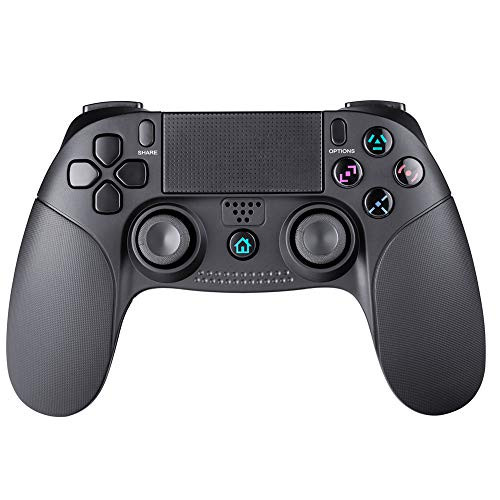
Write a Review
BREADEEP Wireless Controller for PS4 Remote Game Controller with Dual Vibration Headset Jack Touch Pad Six-axis Motion Control
- SKU:
- VTO57637
- UPC:
- 9552636636180
- Condition:
- New
- Availability:
- Free Shipping from the USA. Estimated 2-4 days delivery.