How to use:
Bluetooth Mode:
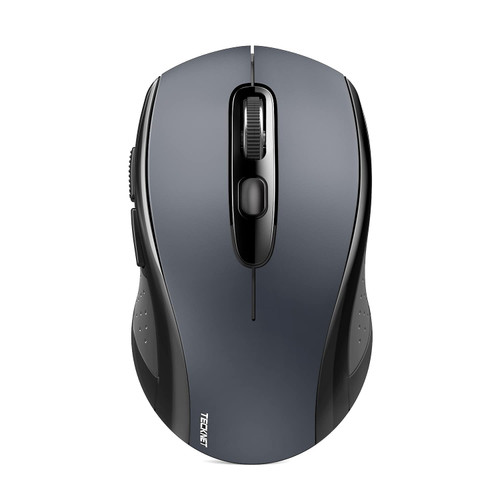
1.Turn on the mouse switch (Switch left position "Bluetooth mode"). The optical sensor will flash. If not, please charge the mouse first.
2. Press the black circle Mode Switch button over 5 seconds. The light flashes.
3. Turn on the Bluetooth on your device and let it search for nearby Bluetooth devices.
4. Wait for a while, "Bluetooth Mouse" will be displayed on the device.
5. If not connected, please long press the pairing button for about 5 seconds, or simultaneously press 3 buttons (left button, right button, scroll wheel) for 5 seconds. If the optical sensor keeps flashing, the mouse is in pairing mode.
Note: When selecting a password, please enter "0000", "1234" or "1111".
Alternatively, you can select "No password" to connect directly.
2.4G Wireless Mode:
1. Turn on the mouse switch (turn the switch to the right position "2.4G mode"). The optical sensor will flash. If not, please charge the mouse first.
2. Remove the receiver (located at the bottom of the mouse) and plug the receiver into the device.
3. Wait a moment, the mouse is connected and ready to use.
4. If not connected, press 3 buttons (left button, right button, roller) for 5 seconds at the same time. If the optical sensor continues to flash, the mouse is in pairing mode.
Specification:
Type:Dual Mode Bluetooth Charging Silent Wireless Mouse
Ergonomics: Yes
Wireless technology: Bluetooth 4.0 version
Press-key Quantity: 4 Buttons
Optical resolution: 800-1000-1200-1600DPI
Power Source: Built-in 500mah battery
Mouse dimension: 109*60*29mm/4.29*2.36*1.14in
Net weight: 79g
Package Include:
1 x Wireless Mouse
1 x Charging Cable
1 x USB Receiver(stored in bottom of the mouse)

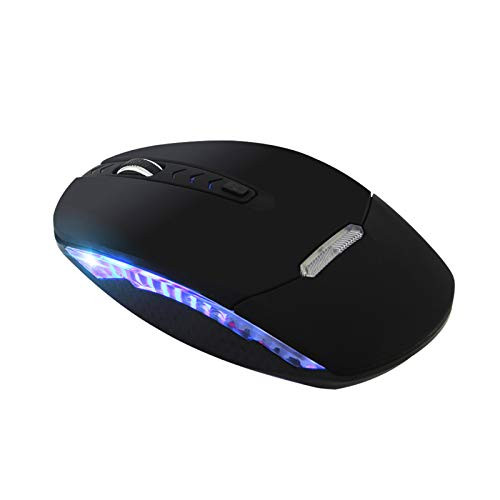
Bluetooth Wireless MouseDual Mode Bluetooth 4.0 Mouse 2.4G Wireless Optical Mouse with USB ReceiverRechargeable Silent 4 Adjustable DPI Levels for PC Laptop Windows Android OS System-Black-
Was:
$79.88
Now:
$39.94
(No reviews yet)
Write a Review
Write a Review
Bluetooth Wireless MouseDual Mode Bluetooth 4.0 Mouse 2.4G Wireless Optical Mouse with USB ReceiverRechargeable Silent 4 Adjustable DPI Levels for PC Laptop Windows Android OS System-Black-
- SKU:
- YTH247128
- UPC:
- 733424352430
- Condition:
- New
- Availability:
- Free Shipping from the USA. Estimated 2-4 days delivery.