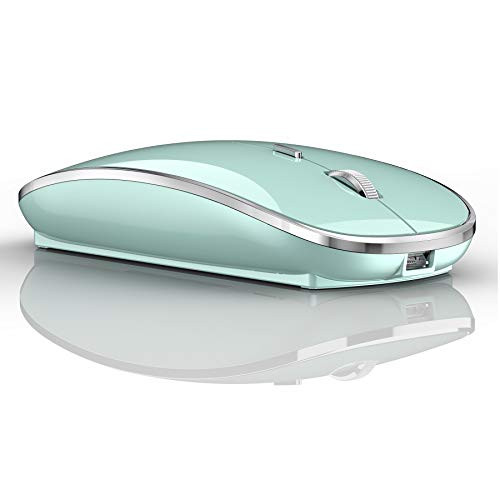
Packing list: Instructions X1, LED charging Bluetooth + 2.4g dual-mode wireless mouse X1, 2.4g Nano USB wireless receiver X1(hidden in the slot at the bottom of the mouse), USB charging line X1, USB C-type adapter X1, packing box X1,
? How to connect to a laptop using bluetooth mode:
1: first slide the button at the bottom of the mouse to the bluetooth position. ( bluetooth mode.)
2: open the computer system Settings, open Bluetooth, when the computer bluetooth display is looking for nearby bluetooth devices, find the "BT5.1 mouse", click the connection, and then successfully connected, you can use the mouse.
When you want to connect to IOS 13 iPad/IOS 13 iPhone in bluetooth mode
first slide the button at the bottom of the mouse to the bluetooth " " position. ( bluetooth mode.)
(1) open ipad Settings >Accessibility > Touch > AssistiveTouch > Click to open ?An auxiliary dot will appear on the screen?
(2) Go back to Settings > Click on the bluetooth > Click to open > BT 5.1 MOUSE > connect and Pair.
? How to use the 2.4g wireless receive mode:
The way it connects is very simple, Plug and play
? suitable for: the MacBook pro MacBook Air from 2016 -2020? First plug the silver adapter into the MacBook port, then plug the USB mouse receiver into the silver adapter and move the mouse or button to start working. Very simple
? Windows 7/8/10 / XP/iMac, (MacBook2010-2015), or any USB port of the laptop and desktop: remove the mouse USB wireless receiver, plug it into the computer's USB port, move the mouse or click the mouse button will begin to work
?How to Charge Wireless Mouse?
?When the pointer of your mouse does not move or cannot be used, or suddenly disconnects continuously in use, you need to charge it for about 3 hours. Please use the USB port of your computer to charge it, or use an adapter with an output of no more than 5v to charge it

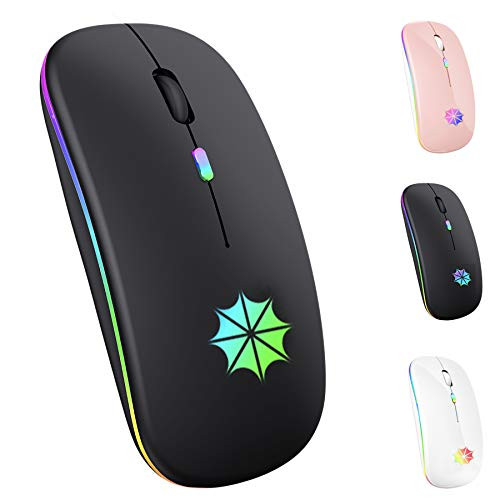
Bluetooth for MacBook Air iPad Pro Laptop Bluetooth Mouse Mac Bluetooth Mouse for MacBook Pro iPad pro Chromebook Desktop Computer Windows PC LED Bluetooth 5124G Mouse Black
Was:
$79.86
Now:
$39.93
(No reviews yet)
Write a Review
Write a Review
Bluetooth for MacBook Air iPad Pro Laptop Bluetooth Mouse Mac Bluetooth Mouse for MacBook Pro iPad pro Chromebook Desktop Computer Windows PC LED Bluetooth 5124G Mouse Black
- SKU:
- R346256
- UPC:
- 762409380762
- Condition:
- New
- Availability:
- Free Shipping from the USA. Estimated 2-4 days delivery.


Bluetooth Mouse for iPad MacBook Pro MacBook Air Mac Laptop Computer Windows Bluetooth Mouse
Was:
$71.96
Now:
$35.98