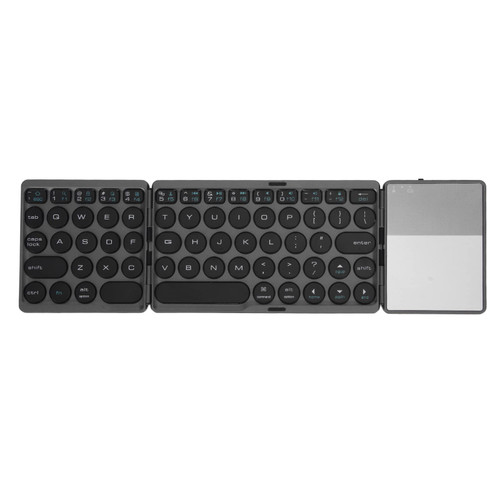
How to Use:
1. Install 2 AAA batteries (batteries are sold separately)
2. Turn on the power switch on the back.
3. Press the connect key on the back to activate the keyboard code matching and enter the code matching state.
3. Open the tablet/computer to search for the BT keyboard and click connect, the device will display the input code, type the input code on the keyboard and press the enter key, and start using it after the pairing is successful.
Specification:
Item Type: Wireless Keyboard
Material: ABS
Size: Approx. 285 x 120 x 18mm / 0.9 x 0.2 x 0.4in
Keyboard Weight: Approx. 273g / 9.6oz
Applicable System: ForIOS, for Android, for Windows
Connection Method: BT 3.0 Wireless
Wireless Distance: Approx. 10m / 10.9yd
Battery: 2 x AAA Batteries (Not Included)
Language Switching Shortcuts:
1.For OS X: Ctrl+Spacebar
2.For Windows: shift+ctrl (note: the Language Switch Key in the Korean Keyboard Can Only Be Used Under for Win. when Using OS X or IOS Tablet, You Can Only Switch Languages by Ctrl+spacebar.)
Package List:
1 x Wireless Keyboard(Battery Not Included)1 x User Manual
Note:
1. This product does not have AAA batteries, which are sold separately.
2. This is not the original OS X system keyboard, but it supports OS X system.

ASHATA Ultra-Slim Wireless Bluetooth Keyboard,Mini 78 Keys Universal Portable Wireless Bluetooth Keyboard for iOS Tablet,Android,OS X,Windows System(Japanese)
Was:
$104.08
Now:
$52.04
(No reviews yet)
Write a Review

Write a Review
ASHATA Ultra-Slim Wireless Bluetooth Keyboard,Mini 78 Keys Universal Portable Wireless Bluetooth Keyboard for iOS Tablet,Android,OS X,Windows System(Japanese)
- SKU:
- ZDW550152
- Condition:
- New
- Availability:
- Free Shipping from the USA. Estimated 2-4 days delivery.