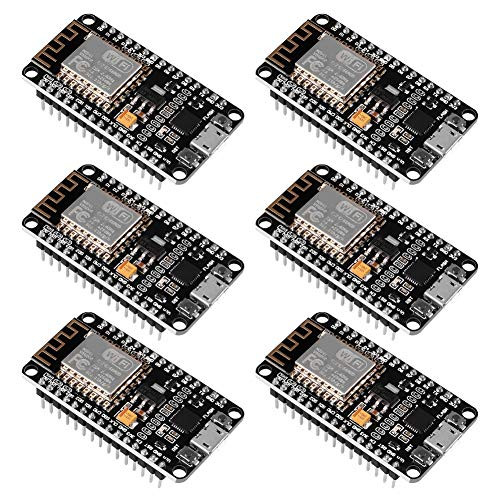
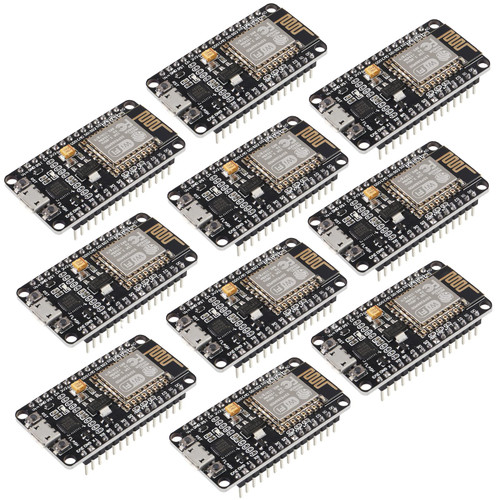
ESP8266 NodeMcu ESP8266 Module(4pcs),ESP-12E NodeMcu LUA CP2102 Internet WiFi Development Board Works with Arduino IDE/Micropython Instruction & Steps of How to use: 1. Download the Arduino IDE, the latest version. 2. Install the IDE. 3. Set up your Arduino IDE as: Go to File->Preferences and copy the URL below to get the ESP board manager extensions:http://arduino.esp8266.com/stable/package_esp8266com_index.json Placing the http:// before the URL and let the Arduino IDE use it...otherwise it gives you a protocol error. 4. Go to Tools > Board > Board Manager> Type "esp8266" and download the Community esp8266 and install. 5. Set up your chip: Tools -> Board -> NodeMCU 1.0 (ESP-12E Module) Tools -> Flash Size -> 4M (3M SPIFFS) Tools -> CPU Frequency -> 80 Mhz Tools -> Upload Speed -> 921600 Tools-->Port--> (whatever it is) 6. Download and run the 32 bit flasher exe at Github(Search for nodemcu/nodemcu-flasher/tree/master/ at Github) github.com/nodemcu/nodemcu-flasher/tree/master/Win32/Release Or download and run the 64 bit flasher exe at: github.com/nodemcu/nodemcu-flasher/tree/master/Win64/Release 7. In Arduino IDE, look for the old fashioned Blink program. Load, compile and upload. 8. Go to FILE> EXAMPLES> ESP8266> BLINK, it will start blinking. Package included: 3 x ESP8266 NodeMCU WiFi Development Board 1 x USB Cable

ACEIRMC 3pcs ESP8266 NodeMCU LUA CP2102 ESP-12E Internet WiFi Development Board Open Source Serial Wireless Module + USB Cable for Arduino IDE Micropython(3pcs+USB Cable)
Was:
$61.88
Now:
$30.94
(No reviews yet)
Write a Review

Write a Review
ACEIRMC 3pcs ESP8266 NodeMCU LUA CP2102 ESP-12E Internet WiFi Development Board Open Source Serial Wireless Module + USB Cable for Arduino IDE Micropython(3pcs+USB Cable)
- SKU:
- N366961
- Condition:
- New
- Availability:
- Free Shipping from the USA. Estimated 2-4 days delivery.