Package List
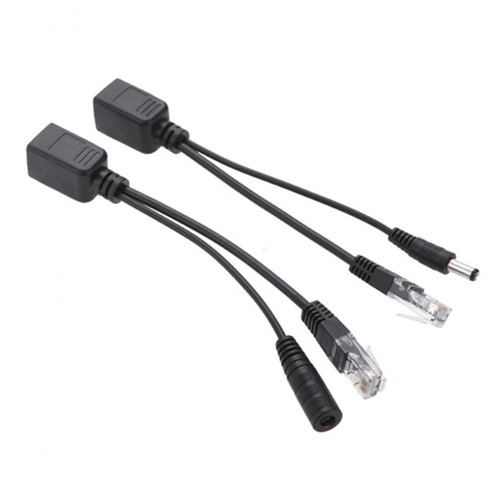
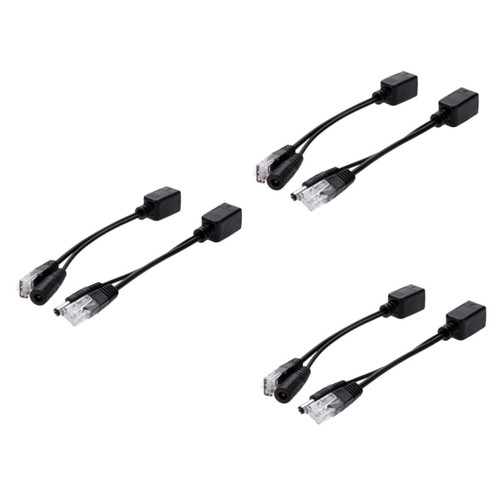
3 Injector Cable 3 Splitter Cable
Characteristics
- Length:18cm / 6.9in POE Injector cable.
- Size: 17.5 x 1.9 x 1.8cm POE Splitter.
- Injector: Male + Power In to Female POE Cable Adapter.
- Transmission distance: 30-40 m / 100-130 ft.
Color: Black.
- Application: WLAN, routers, , internet telephony, security monitoring etc.
- Power plug / jack: 2.1 * 5.5mm / 0.9 * 2.2in.
- Supports: 5V, 12V, 24V, 48V.
- Material: Copper.
- Splitter: Female to Male + Power Out.
- Power Pins: 4,5 + and 7,8.
- Can -40 metres/100-130ft (depending on the quality of the cable and the of the device) POE Injector Wire.
- Use with IP security camera, wireless access point and other devices POE Adapter.
- PoE injector and splitter kit with 5.5 * 2.1 mm DC jack / plug.
Goods Information
Voltage Supports 5V, 12V, 24V, 48V.internet phone Passive PoE- means that input and output voltage are equal.switvh Transforms Non PoE devices to PoE enabled.POE splitter Power supply required for power input - simply use the power supply (wall ) that is provided with the device you are trying to power
3 Injector Cable 3 Splitter Cable
Characteristics
- Length:18cm / 6.9in POE Injector cable.
- Size: 17.5 x 1.9 x 1.8cm POE Splitter.
- Injector: Male + Power In to Female POE Cable Adapter.
- Transmission distance: 30-40 m / 100-130 ft.
Color: Black.
- Application: WLAN, routers, , internet telephony, security monitoring etc.
- Power plug / jack: 2.1 * 5.5mm / 0.9 * 2.2in.
- Supports: 5V, 12V, 24V, 48V.
- Material: Copper.
- Splitter: Female to Male + Power Out.
- Power Pins: 4,5 + and 7,8.
- Can -40 metres/100-130ft (depending on the quality of the cable and the of the device) POE Injector Wire.
- Use with IP security camera, wireless access point and other devices POE Adapter.
- PoE injector and splitter kit with 5.5 * 2.1 mm DC jack / plug.
Goods Information
Voltage Supports 5V, 12V, 24V, 48V.internet phone Passive PoE- means that input and output voltage are equal.switvh Transforms Non PoE devices to PoE enabled.POE splitter Power supply required for power input - simply use the power supply (wall ) that is provided with the device you are trying to power