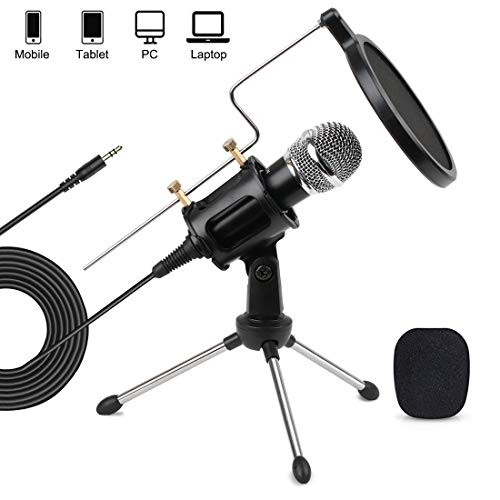
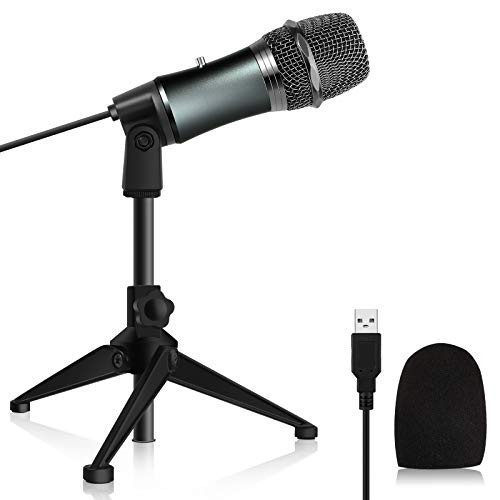
Specification:
Directivity: Omnidirectional
Sensitivity: - 47 ± 3dB
Directionality: ? 680?
Frequency response: 100 Hz - 16000 Hz
Signal-to-noise ratio:> 60 dB
Cable length: 1.8 m
Notes:
1. Do not place the microphone too close to the speaker or the power supply.
2. Since this microphone has a high sensitivity, the volume should be reduced if the recording distance is relatively close to the microphone.
If the microphone doesn't work, please check the following:
1. Whether the connection is correct: If your device only has a 3.5 socket, you need to use a USB sound card converter (like macbook) or the microphone via a 3.5 mm audio adapter cable (like. laptops).
2. Change computer settings:
---A. Deactivate the built-in microphone in device manager.
---B. In the recording settings of the audio device, select "listen to this device"
3. Replace the interface: Replace the audio cable and connect it to the back of the host instead of the front mic connector.
4. Smartphones can use the microphone via recording application
Package Included:
1 x microphone with power cord
1 x adjustable tripod with shock mount
1 x 3.5mm Y splitter converter cable
1 x windshield
1 x pop filter
1 x user manual

3.5mm PC Microphone Computer Studio Condenser Mic with Tripod Stand and Pop Filter for YouTube Skype Gaming Singing Streaming Podcasting Vocal Recording for Phones Mac PC Laptop Desktop Windows
Was:
$117.78
Now:
$58.89
(No reviews yet)
Write a Review

Write a Review
3.5mm PC Microphone Computer Studio Condenser Mic with Tripod Stand and Pop Filter for YouTube Skype Gaming Singing Streaming Podcasting Vocal Recording for Phones Mac PC Laptop Desktop Windows
- SKU:
- YTH772982
- UPC:
- 86291701475
- Condition:
- New
- Availability:
- Free Shipping from the USA. Estimated 2-4 days delivery.