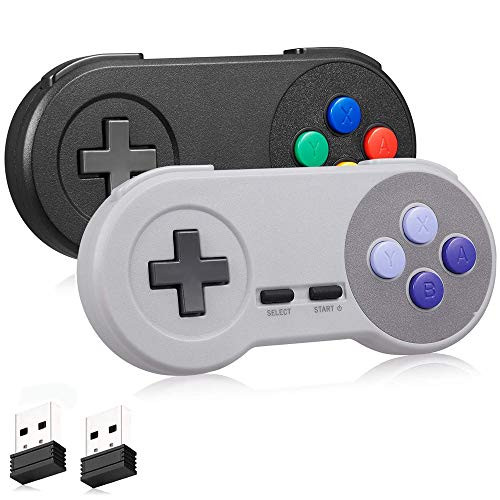
Strong compatibility: support Android games, computer games, and Raspberry Pi etc. Paring instruction:
Step 1: Press the START button to turn on the controller. The LED will blink red slowly>
Step 2: Press the START button again, the controller is ready to connect when the RED LED indicator flash rapidly.
Step 3: Plug in the USB receiver to the device,the controller will auto reconnect to your Windows device.
Notice tips:
1. Before you playing NES games, you have to download the game emulator on your device:
2.Press the button" DOWN+SELECT+START" at the same time, and the red LED light of the controller flashes to reset.
Retro SNES game/platform suppot
Platform?
Pc(Mac Linux Windows) ,Andorid phone(with OTG cable),Raspberry pi ect.
Emulator:
OpenEmu(MAC),NES, SNES, Snes9x, ZSNES, Higan, Handheld GBA emulator, Sega Genesis emulator etc.
Why did you choose us?
*)Made from high-quality ABS material, it features sturdy and durable shell.
*)2.4GHz high-performance wireless connection, working range up to 30 feet.
*)With built-in Rechargeable battery, low heat and high-efficiency use for long lifespan.
Packing list:
2 x Wireless USB SNES Controller
2 x 2.4Ghz USB Receiver

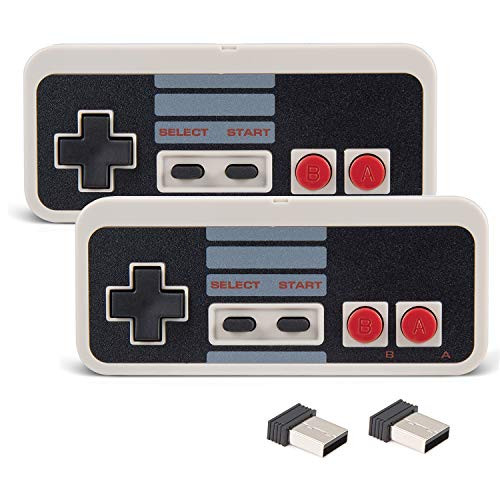
2 Pack NES Wireless Controller, kiwitatá Classic NES 2.4ghz Wireless USB PC Game Controller Joypad for Windows PC MAC Linux Raspberry Pi -Gray-
Was:
$89.88
Now:
$44.94
(No reviews yet)
Write a Review
Write a Review
2 Pack NES Wireless Controller, kiwitatá Classic NES 2.4ghz Wireless USB PC Game Controller Joypad for Windows PC MAC Linux Raspberry Pi -Gray-
- SKU:
- ZC945514
- Condition:
- New
- Availability:
- Free Shipping. Estimated 2-4 days delivery.