
Instructions:
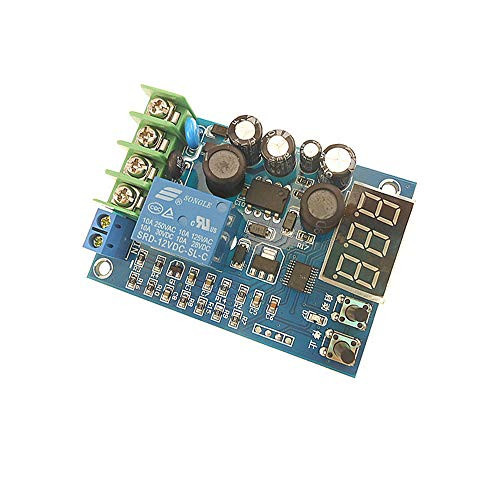
In the state of setting the voltage value(the nixie tube is flashing), the start button acts as an up button, and thestop button acts as a down button.
Set the starting voltage: In the normaldisplay voltage state, press the start button to display the starting chargingvoltage. Long press the start button and the nixie tube flashes, and set thestart charging voltage value through the start and stop buttons.
Set the stop voltage: in the normal displayvoltage state, press the stop button once to display the start chargingvoltage, long press the stop button, the nixie tube flashes, and set the startcharging voltage value through the start and stop buttons.
Restore factory settings: Press and hold thestart and stop buttons at the same time when the power is on, the digital tubedisplays 888, and the original factory settings are restored.
Package Includes: Charging module x 1

WSDMAVIS 1 Pcs 3.7-96V 10A Battery Charger Automatic Charging Controller Module 12V 24V 36V 48V 60V 96V Battery BMS Protection Board
Was:
$47.88
Now:
$23.94
(No reviews yet)
Write a Review
Write a Review
WSDMAVIS 1 Pcs 3.7-96V 10A Battery Charger Automatic Charging Controller Module 12V 24V 36V 48V 60V 96V Battery BMS Protection Board
- SKU:
- YSD123525
- UPC:
- 779675957550
- Condition:
- New
- Availability:
- Free Shipping from the USA. Estimated 2-4 days delivery.


