? Product Introduction?
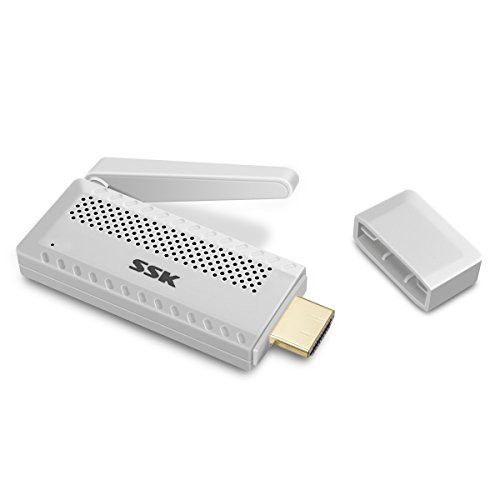
This product wireless HDMI dongle is Plug&Play Only by 3 Steps: Plug->Connect->Mirror. No need to repeat steps after the first successfully connection, you can easily enjoy a high-definition big screen at home,meeting and travel hotel etc without carrying messy cords.
?Mirroring or Casting (Mobile Phone)
? Mirroring: (Android phone users, please confirm whether the phone system has its own mirroring function, The "screen mirroring" of Apple mobile phones, and the "Smart View" of Samsung mobile phones.) Directly click on the phone mirroring, and then search for the dongle ID.
? Casting: Open the video application directly on the phone (no need to open the mirroring function of the phone system), click the casting button to the video attached to the video application, and then search for the dongle ID (open in this way, you can watch the video While viewing phone information)
? Steps for Usage:
?Open your phone/tablet's WI-FI settings menu
? Select and connect to "Koogold-xxxxxx"
? (1) Open your phone's internet browser
(2) Enter the IP address "192.1.2.3"
(3) Select your WiFi network
? Enter your WiFi password, press "Connecct"
Note:?Please connect USB cable to a 5V/1A Power adapter Not TV connector?
? Package Include:
1 * Wireless HDMI Dongle
1 * Product Manual

WiFi Display Dongle 2020 New C29 Wireless HDMI Adapter 1080P Miracast Dongle for TV Support Miracast Airplay DLNA TV Stick Mirrorcast Receiver Compatible with Android-Mac-iOS
Was:
$137.86
Now:
$68.93
(No reviews yet)
Write a Review

Write a Review
WiFi Display Dongle 2020 New C29 Wireless HDMI Adapter 1080P Miracast Dongle for TV Support Miracast Airplay DLNA TV Stick Mirrorcast Receiver Compatible with Android-Mac-iOS
- SKU:
- QT406937
- UPC:
- 717360894469
- Condition:
- New
- Availability:
- Free Shipping from the USA. Estimated 2-4 days delivery.