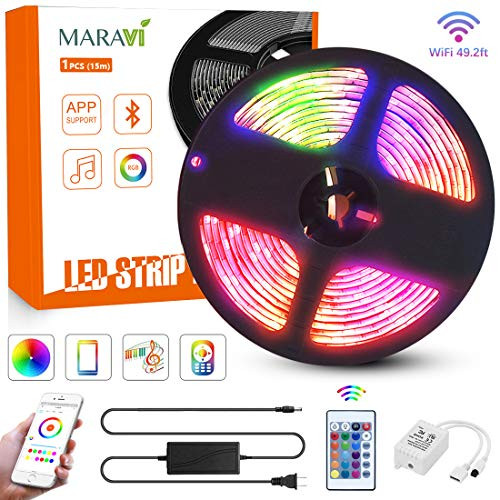
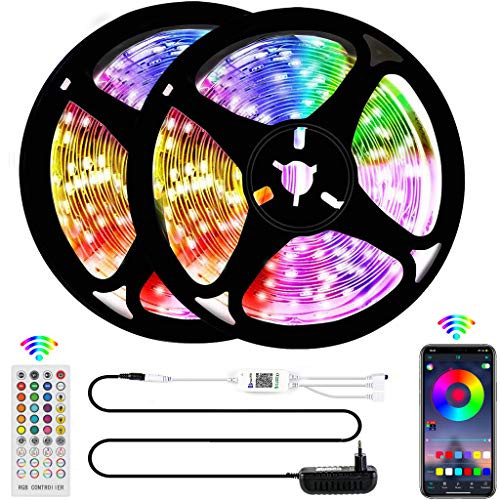
Maravi LED Strip Lights, Color Changing Rope Lights 5050 RGB Light Strips with Wi-Fi Bluetooth APP Controller, wildly used for decorating your kitchen, dorm room, under cabinet, desk,dining room, bedroom,TV Back lighting, mirror, closet, ceiling, especially great for Holidays and Events like Christmas, Halloween, Parties, and more. It is a great gift for your family and friends.
Further features
?5 default light modes: flashing, Breathing, Strobe, Gradient, Cool
?Dimmable colors and brightness, DIY your unique color from the color circle
?12V Low voltage adapter keeps the strip light a longer life
?Memory Function, remember last used color after power off
?Ultra-bright 5050 LEDs, adopting premium 5050 SMD beads, it boasts up to 50,000 hours lifespan
?Step by step teaching you how to connecting the light strip to Wi-Fi
?Much better user experience when applied with smart phone, 55yd max control distance
How to Connect the Device to Wi-Fi?
Step 1: Search for "Smart Life" APP or scan QR code
Step 1: Scan QR code on the user manual and download APP
Step 2: Make sure your phone's Bluetooth/Wi-Fi is open and register a account and choose add lighting device
Step 3: Click "+" to add the device and select the strip light model you want to connect
Step 4: Connect to preferred Wi-Fi and confirm
Step 5: Once successfully added, rename if desired
(Notice?The APP only supports 2.4GHz Wi-Fi networks and currently does not support 5GHz Wi-Fi networks.)
Technical details:
Length (m) : 2*5M (32.8 ft)
Color: RGB+white
Number of LED: 300pcs
Luminous angle: 120degrees
Package Contents
·2 × 5M 5050 LED light bars
·1 × remote control
·1 × connector
·1 x power supply ·1 x user manual

LED Strip Lights, Maravi 32.8ft/10M RGB WiFi LED Light Strip 5050SMD Color Changing LED Strip Lights with Remote,Sync to Music RGB Rope Light with Alexa & APP Controller for Home DIY Decoration
Was:
$107.88
Now:
$53.94
(No reviews yet)
Write a Review

Write a Review
LED Strip Lights, Maravi 32.8ft/10M RGB WiFi LED Light Strip 5050SMD Color Changing LED Strip Lights with Remote,Sync to Music RGB Rope Light with Alexa & APP Controller for Home DIY Decoration
- SKU:
- JA585137
- UPC:
- 783057032674
- Condition:
- New
- Availability:
- Free Shipping from the USA. Estimated 2-4 days delivery.