PCmover Express 8 is the ONLY software that automatically moves user profiles, files, and settings from an old PC to a new one! Its the easiest way to move to a new PC without leaving anything behind, even when there are different versions of Windows on the old and new PC. Nothing is changed on the old PC and nothing is overwritten on the new PC.
Laplinks PCmover Express 8 automatically moves all the documents, folders, and user settings you select from your old Windows PC to your new one, ready to use. Simply install PCmover Express on both your old and new computers, and go! When the transfer is complete, your new computer will have the personality and data of your old PC. PCmover Express works with any version of Windows from Windows XP to Windows 10.
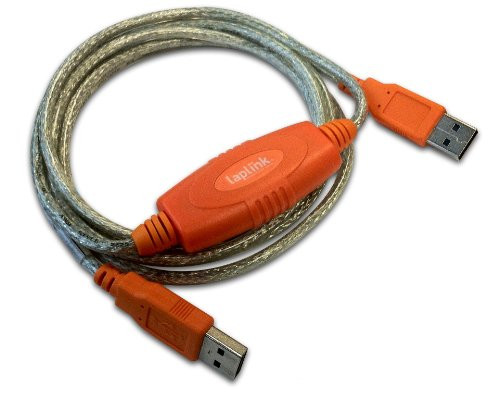
PCmover Express 8 can migrate your documents, folders, and settings across a network, Laplink Ethernet cable or Laplink USB cable (cables are not included in the purchase of PCmover Express). If your computer has multiple users, PCmover gives you the option to migrate some or all of the users at once.
Selected Documents, Folders, and Settings Laplink PCmover Express Moves:
- Drives
- User profiles
- Folders
- File types (file filters)
- User settings
- Windows settings
Easy-to-Use
Just install PCmover on both computers and use the step-by-step wizard to start transferring user profiles, files, and settings to your new Windows PC.
24/7 Free Transfer Assistance
Quickly set up your new PC with the help of a certified PC migration expert over the phone. Free, 24 hours a day, 7 days a week.
Complete Selectivity
Automatically move all users, folders, and settings to your new PC.
Set It and Forget It
You start the transfer and walk away. PCmover does the rest! PCmover will even email or text you when its done!
Laplink PCmover Express Features:
- Old PC to New PC Migrat

Laplink 6' USB 3.0 SuperSpeed Transfer Cable for PCmover

Laplink 7' Ethernet High-Speed Transfer Cable for PCmover

PCmover with Selectivity, Including Laplink USB 1.1 Cable

Laplink SafeErase 8 - 64 bit -Download-