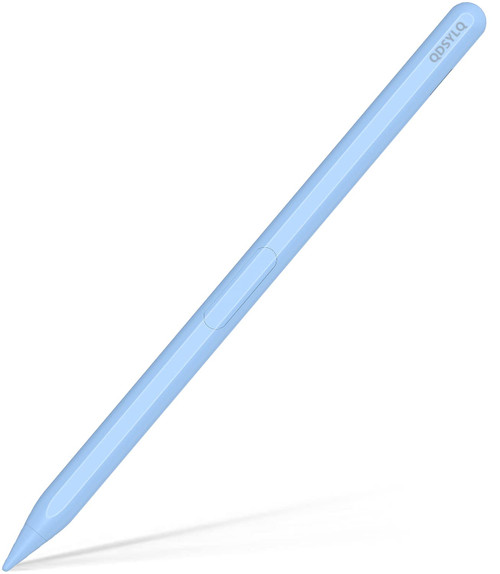
?With the tilt function, drawing of the different thickness lines depending on the angles you hold the stylus pen. Perfect for drawing, note-taking, and drawing.
?In addition to attaching to the iPad magnetic charging, you can also use a USB Type-C Charging Cable charging to charge your iPad pen, 2 charging methods let you charge without worry. Attaches magnetically to the iPad can be charged, and it can be used after removing it, which is convenient to carry.
?There is a real-time power display on the iPad after connecting to Bluetooth, know the best charging time and say goodbye to battery anxiety.
?It is a good gift for family, friends, and children.
?Description of fast keys function for iPad pen (can be used after Bluetooth pairing is successful):
Long press the head to activate or deactivate.
Single click to return to the home page.
Double click to the multitasking page.
Applicable models:
iPad 2018 (6 generation) A1893/A1954
iPad 2019 (7 generation) A2197/A2200/A2198
iPad 2020 (8 generation) A2270/A2428/A2429/A2430
iPad mini (5 generation) A2133/A2124/A2126/A2125
iPad Air (3rd generation) A2152/A2123/A2153/A2154
Support wireless charging iPad models:
iPad mini (6th generation) A2568/A2569
iPad Air (4th generation) A2316/A2324/A2325/A2072
iPad Air (5 generation) A2589/A2591
iPad Pro (11-inch) A1980/A2013/A1934/A1979
iPad Pro11 inch (2 generation) A2228/A2068/A2230/A2231
iPad Pro11 inch (3 generation) A2377/A2459/A2301/A2460
iPad Pro12. 9 inch (3 generations) A1983/A2014/A1895/A1876
iPad Pro12. 9 inch (4 generations) A2229/A2069/A2232/A2233
iPad Pro12. 9 inch (5 generation) A2378/A2461/A2379/A2462
Not work with iPhone, Android, Microsoft devices.
Warm Tips:
1. If the iPad stylus or finger is unable to write, please reset your iPad or iPad Pro as follows:
Settings--->iPad Pencil--->Turn off the iPad pencil. Or Settings---> Notes--->Turn off "Only Draw with iPad Pencil".
2. Update your iOS system to 12. 2 version or above.
3. If you need to check this pencil battery power, please connect Bluetooth and pair the Bluetooth named Pencil.
4. It has better user experience if used with the tempered glass screen protector.
5. There is no pressure sensitivity, but have tilt sensitivity.
6. Any problems about using this iPad pencil, please take the user manual as reference.
Package Include:
- 1 x Active ipad Pen
- 1 x USB-C Charging Cable
- 3 x Replacement Pen Tips
- 1 x User Manual
-

iPad Pencil 2nd Generation with Wireless Charging, Stylus Pen for Apple iPad, Palm Rejection and Tilt Sensitive, Compatible with iPad 6/7/8, iPad Pro 11/12.9 in, iPad Mini 6, iPad Air 3/4/5 (Black)
Was:
$99.88
Now:
$49.94
(No reviews yet)
Write a Review

Write a Review
iPad Pencil 2nd Generation with Wireless Charging, Stylus Pen for Apple iPad, Palm Rejection and Tilt Sensitive, Compatible with iPad 6/7/8, iPad Pro 11/12.9 in, iPad Mini 6, iPad Air 3/4/5 (Black)
- SKU:
- ZDV636752
- Condition:
- New
- Availability:
- Free Shipping from the USA. Estimated 2-4 days delivery.