Camera property settings:
1. For Mac Book please use Photo Booth.
2. For Windows, please download AMcap software, choose FHD Camera for camera property settings (like brightness, color, white balance, focus, etc).
1). Resolution settings: AMCap?Options?Video Capture Pin?Output size?Select the corresponding value;
2). Light Settings: AMCap?Options?Video Capture Fliter?Video Proc Amp?brightness;
3). White balance: AMCap?Options?Video Capture Fliter?Video Proc Amp?white balance;
4). Adjust Focus: Amcap?Options?Camera Control?Focus;
5). Record Video: AMCap?Options?Start Capture( or Stop Capture)
If Computer can't detect webcam?
For windows:
1.Right-click on the "My Computer" > "Manage" > "Device Manager" > "Cameras", check the device;
2.Please connect the camera to the USB port on the back of the computer.
For Mac:
1.Please restart your computer and re-plugging the camera, or connect the camera to another USB interface;
2.Please reset the PRAM to load the driver of the USB Live Camera, or upgrade the Mac OS system.
The steps to connect to Xbox one:
1. Insert the webcam to Xbox One USB port, access to the broadcasting options, click on the camera option, and open it;
2. Xbox One's audio is on the game handle, and external microphone needs to be plugged into the handle when used;
3. Click "Start up your broadcast", the live video will be displayed in the mixer live app.
Notice:
1. When using a desktop computer, please connect the camera to the USB port on the back of the computer.
2. Please avoid to use in high-exposure scenes, such as those opposite to windows or other intense light sources.
3. If the color is pink, adjust white balance: Download AMcap for windows; Use Photo Booth for Mac.

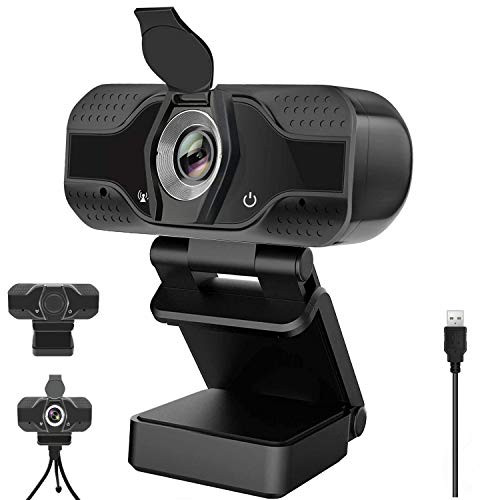
HD 1080P Webcam with Microphone Privacy Cover Auto Focus Streaming Camera Computer Laptop Camera for Video Streaming Conference Gaming Online Classes Compatible for Linux Mac OS Windows 1087
Was:
$129.88
Now:
$64.94
(No reviews yet)
Write a Review

Write a Review
HD 1080P Webcam with Microphone Privacy Cover Auto Focus Streaming Camera Computer Laptop Camera for Video Streaming Conference Gaming Online Classes Compatible for Linux Mac OS Windows 1087
- SKU:
- M113699
- Condition:
- New
- Availability:
- Free Shipping from the USA. Estimated 2-4 days delivery.