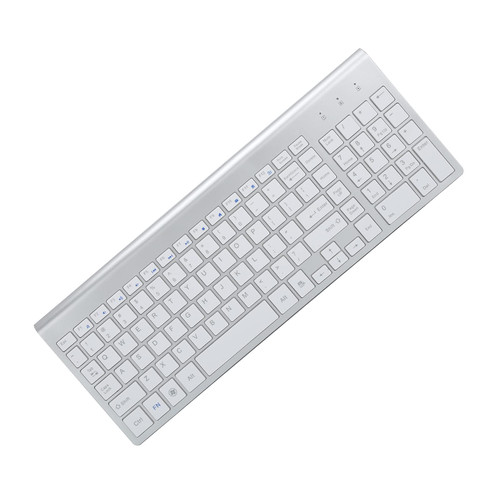
Featuring 14 hotkeys of multimedia control & internet access, this portable wireless multimedia trackball keyboard integrates with a full QWERTY layout keyboard, an optical trackball, a scrollwheel and the left & right buttons of a mouse, actually it's a wireless keyboard and air mouse combo. It's also compatible with Apple computer systems but not with iPhone, iPad. Just insert the nano USB receiver into any available USB port on your desktop, laptop, Android OTT, Android Tablet or HTPC, then start to enjoy. Specifications - 2.4GHz Wireless R.F Intelligent Frequency Hopping Technology - Smart Battery Capacity Status LED Indicator - Key Switch Life: Over 10 Million Times - Maximum Workable Distance: Up to 15 Meters (Unobstructed) - Internet Hotkeys: Backward, Forward, Email, Favorites, IE, Refresh, My Computer - Multimedia Hotkeys: Previous, Next, Stop, Play/Pause, Mute, Volume -, Volume + - Power Source: 2 AA Batteries (Not Included) - Smart Energy Saving Technology, Hibernation Mode - Optical Trackball, 1000dpi, Remote Airmouse - 2 Mouse "L + R" Buttons, 1 Scroll Wheel - Nano USB Receiver, Plug & Play - Dimensions: 360*160*36mm - Net Weight: 540g - Compatible OS: Windows95/98/Me/NT/2000/XP/Vista/7/8/10/Mac OS/Android/Linux - CE, FCC, RoHS Certified Package Content - Wireless Multimedia Trackball Keyboard * 1 - Nano USB Dongle * 1 (inside the battery compartment) - User Manual * 1 How to reconnect the keyboard with USB receiver if auto ID connection fails to work? If the keybord fails to establish connection with USB receiver, please re-plug USB receiver then press the ID Button at the backside of the keyboard to execute ID connection manually, then press Windows button or move the trackball to check whether or not ID connection has been successfully re-established.

GOEASILY 2.4GHz Portable QWERTY Wireless Optical Trackball Keyboard Air Mouse Combo with 14 Multimedia Hotkeys for Windows XP/7/10, Android OTT, HTPC and Mac OS (Black)
Was:
$135.88
Now:
$67.94
(No reviews yet)
Write a Review

Write a Review
GOEASILY 2.4GHz Portable QWERTY Wireless Optical Trackball Keyboard Air Mouse Combo with 14 Multimedia Hotkeys for Windows XP/7/10, Android OTT, HTPC and Mac OS (Black)
- SKU:
- AN88163
- UPC:
- 699958679026
- Condition:
- New
- Availability:
- Free Shipping from the USA. Estimated 2-4 days delivery.