
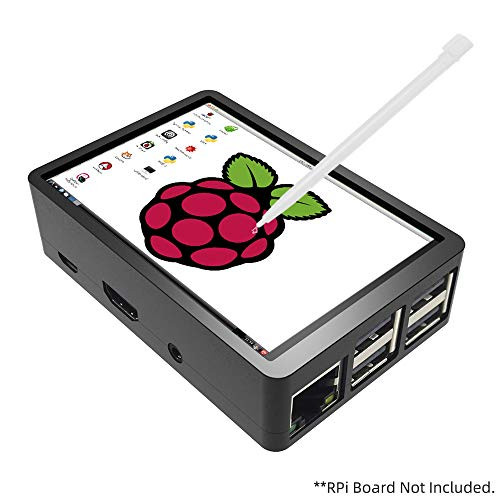
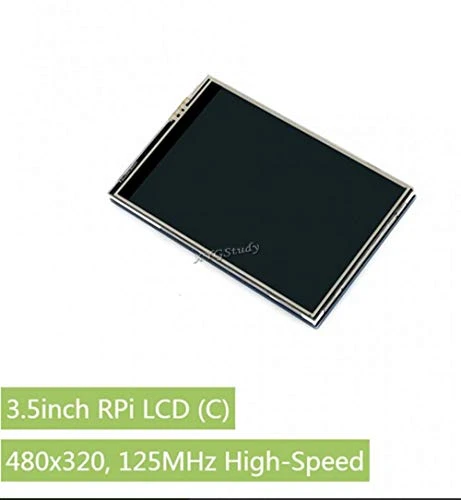
Specification: LCD Type: TFT; LCD interface:SPI (supports up to 125MHz SPI input); Touch Screen Type:Resistive; Resolution: 320*480 pixel; Driver installation: Step 1: install the Raspbian official image file: A. Download the latest Raspbian image file from official B. Use SDFormatter to format Micro SD card C. Use Win32DiskImager to burn the official image to Micro SD Card Step 2: Connect the screen with Raspberry Pi Step 3: Install the Driver to Raspberry Pi A. Prepare keyboard and mouse for Pi , connect internet. B. Execute the following commands sudo rm -rf LCD-show git clone https://github.com/goodtft/LCD-show.git chmod -R 755 LCD-show cd LCD-show/ sudo ./MHS35-show Tips: If you have difficult in installing the driver, or if you still can't use the display properly after installing the driver, please try our pre-install driver image for testing. For Raspberry Pi 3 B/B+, Pi Zero/W RetroPie game system: https://drive.google.com/open?id=1KQpI3sJ6l3NNQTEruPT83050_Sl4IDsi For Raspberry Pi 3 B/B+ Raspbian: https://drive.google.com/open?id=1rQQyoNXkxVH8vcLW_tUKWsMs4fgfJacj Kali: https://drive.google.com/open?id=1NoHoxBSIP4i8WKCJo761K_-DcYh1IZ7k For Raspberry Pi 3 & Pi 2 (Notice: Ubuntu system can't support Raspberry Pi 3 B+ board) Ubuntu: https://drive.google.com/open?id=1zZRt4SCdwn1U0SYDCMxLNcFud0olY7Pi Rotate the display Tutorial: https://drive.google.com/open?id=1Xh-RW62XNluIBA8vyOAJroiUjY8XvOkY If you want to switch back to HDMI monitor with high resolution, execute command cd LCD-show/ sudo ./LCD-hdmi Package List: 1x 3.5" TFT Touch Screen 1x ABS Case Black 1x Touch Pen 1 Set of Accessories

Flight-sky 3.5 inch Touch Screen with Case for Raspberry Pi 3B+ /3B /2B, 320x480 Pixel Monitor TFT RPi 3B+ 3B 2B LCD Display Support Raspbian, Ubuntu, Kali, RetroPie System
Was:
$77.88
Now:
$38.94
(No reviews yet)
Write a Review
Write a Review
Flight-sky 3.5 inch Touch Screen with Case for Raspberry Pi 3B+ /3B /2B, 320x480 Pixel Monitor TFT RPi 3B+ 3B 2B LCD Display Support Raspbian, Ubuntu, Kali, RetroPie System
- SKU:
- GZ31921
- UPC:
- 795042373860
- Condition:
- New
- Availability:
- Free Shipping from the USA. Estimated 2-4 days delivery.


![for Raspberry Pi 3 B+ 3.5 inch Touch Screen, 320x480 Pixel Monitor TFT LCD Display [Support Raspbian, Ubuntu, Kali, RetroPie System]](https://cdn11.bigcommerce.com/s-t8bvbs505h/images/stencil/500x659/products/3772763/4063720/41V-1fne6lL__85705.1566308058.jpg?c=2 "for Raspberry Pi 3 B+ 3.5 inch Touch Screen, 320x480 Pixel Monitor TFT LCD Display [Support Raspbian, Ubuntu, Kali, RetroPie System]")