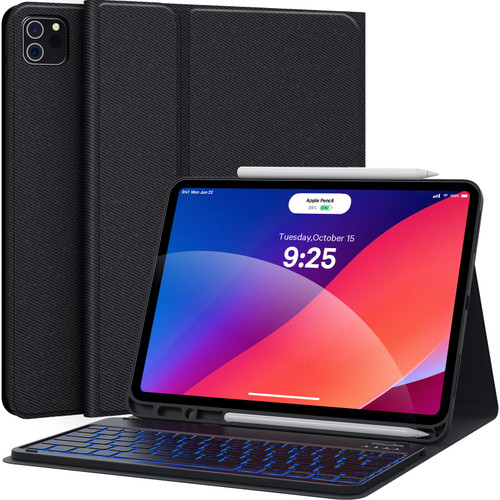
iPad Pro 12.9 Case with Keyboard for 12.9 inch 6th 2022 /5th Generation 2021/ 4th Generation 2020/ 3rd Generation
Adjustabe Viewing Angles
3 dents on the case for propping up the tablet pc into 3 different viewing angles
keyboard case is very slim and lightweight, convenient to carry out
iPad Keyboard Case with Pencil Slot
The pencil holder is on the top, it is different from others that on the bottom. Support 2nd Gen Apple Pencil Charging
Magnetically Detachable 7 Colors Backlit Keyboard
* The keyboard adds a layer of protective oil on the surface of the brushed process shell, no easy to be stained with fingerprints.
* 7 colors backlight allow you to type smoothly in the dark. Keyboard is not used for a long time, it will enter the smart sleep mode and the backlight will be off. When you press any key, the backlight will light up again.
* Adopt a scissor foot structure key and on the key with ergonomic concave design to achieve a true bass experience
HOW TO CONNECT THE KEYBOARD
1. Please fully charge the keyboard until the charging indicator light goes out.
2. Turn on the Bluetooth function of the iPad.
3. Turn on the keyboard power.
4. Press the connect button to enter the Bluetooth matching state, the Bluetooth indicator flashes.
5. Search for "Bluetooth Keyboard" to match iPad and keyboard.
6. Now the keyboard matches the iPad, and the Bluetooth indicator is off.
NOTE:
Please charge your keyboard for 2~3 hours the first time you use
Please charge it when Power indicator flashing Red. Charge indicator will be red when charging, and will Turn Off after full charged
Turn on the keyboard, the power indicator will flash about 3 seconds then goes off.
Reminder: This product includes a Type-C charging cable (for keyboard only, not for iPad) and does not include a charger.